GameCube Disc Read Errors & Laser Adjustment
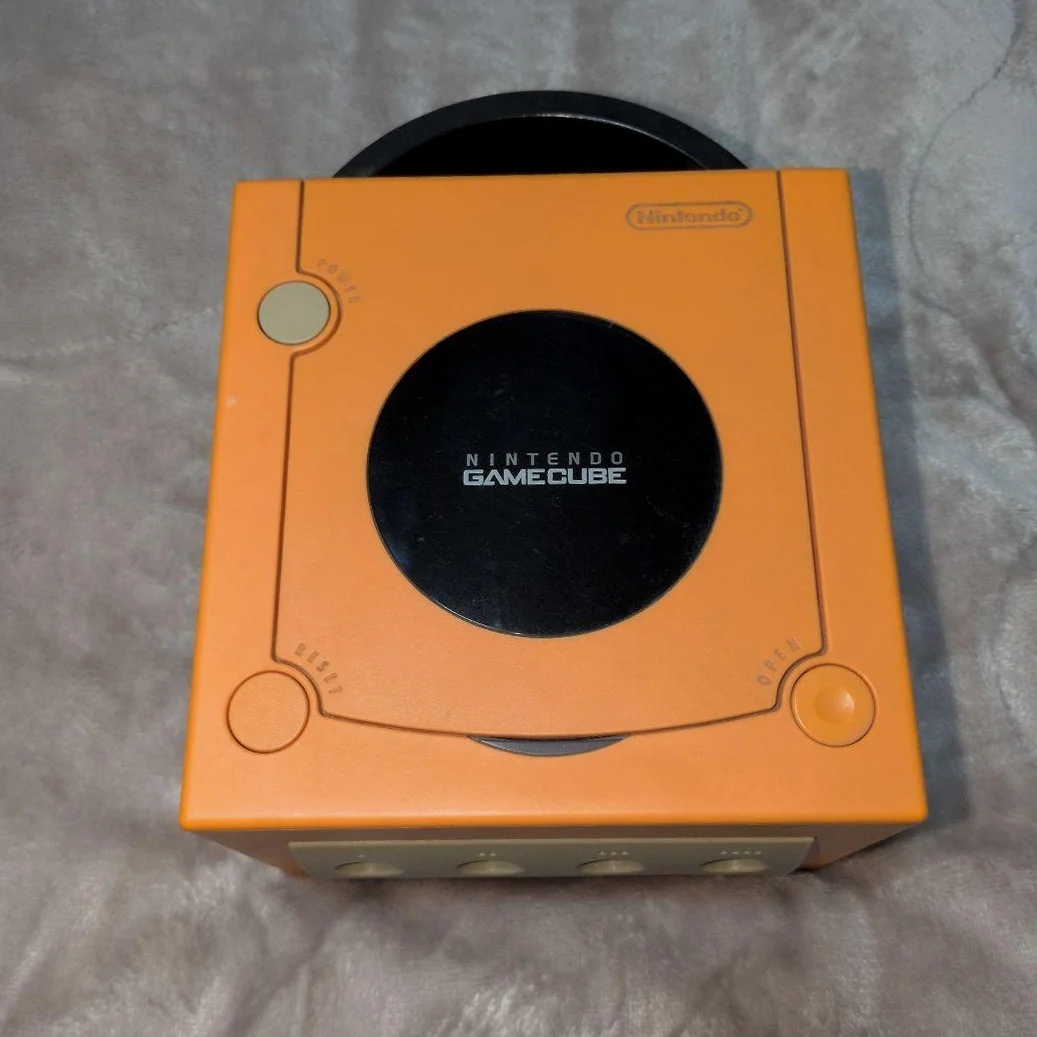
Your little cube GameCube is getting picky! Insert a mini-disc—either it doesn't spin, spins then stops, or displays "Disc could not be read." Sometimes games load but cutscenes stutter, or mid-game the drive fails. Classic scenario: Super Mario Sunshine black screens halfway through—instant rage!
Required Tools
- Tri-wing screwdriver (GameCube specific, Y-head)
- Phillips screwdriver, PH0 size
- 99% isopropyl alcohol and ultra-fine cotton swabs
- Laser power adjustment screwdriver (micro size)
- Bright flashlight
- Anti-static gloves (NGC motherboard is delicate)
Repair Procedure
1. Disassembly Prep, Handle Gently
- Unplug all cables, note AV cable positions
- Remove 6 tri-wing screws from bottom
- Open top cover—careful with disc drive ribbon cable
- Locate laser assembly—that tiny component
2. Laser Cleaning, Basic Operation
- Use air blower to remove dust
- Dip ultra-fine swab in minimal alcohol
- Gently dab lens—NGC laser is fragile
- Check laser sled rails, apply minimal lubricant
3. Laser Power Adjustment (Caution!)
- Locate adjustment potentiometer on laser side
- Using micro screwdriver, clockwise adjust 10-15 degrees
- Reassemble and test; if still problematic, adjust another 10 degrees
- Warning: NGC laser has limited adjustment range—don't exceed 30 degrees total
4. Disc Tray Inspection
- Observe tray rail smoothness
- Clean rails, apply lubricant
- Check tray magnet engagement strength
- Test tray open/close 10 times
5. Ultimate Test: Three-Disc Verification
- Test Disc 1: Official Nintendo game (most demanding)
- Test Disc 2: Burned disc (if reading burned media)
- Test Disc 3: Audio CD (compatibility test)
- Each disc: continuous read for 30 minutes, observe stability
Parts & Pricing Reference
| Component | Price Range | Source | Gamer Advice |
|---|---|---|---|
| NGC Laser Assembly | ¥120-180 | Xianyu/Taobao | Buy with sled—saves alignment |
| Original Laser | ¥80-130 | Specialty shops | Panasonic OEM best |
| Tri-wing Screwdriver | ¥25-35 | Repair tool shops | Must be specific—generic won't work |
| Mini-Disc Case | ¥15-25 | Collector shops | Protect precious mini-discs |
| Lubricant | ¥10-20 | Hardware stores | White silicone grease, not grease |
NGC Player's Exclusive Guide
🎮 Different NGC Model Characteristics
- Original NGC (with digital port): Laser durable but capacitors age
- Later NGC (no digital port): Laser slightly weaker but motherboard stable
- Q NGC: Laser hardest to find—consider SDL mod
💿 Mini-Disc Maintenance
- Don't touch data side: Mini-discs are more delicate
- Proper cases: Don't use DVD cases—discs rattle
- Vertical storage: Horizontal storage causes warping
- Regular inspection: Check for scratches every 6 months
🔧 Disc Reading Problem Levels
- Level 1: Occasional read failures → Clean laser
- Level 2: Frequent read failures → Adjust power
- Level 3: No reading at all → Replace laser
- Level 4: Disc spins but won't read → Motherboard issue
Repair Difficulty: ★★★★☆
Estimated Time: 2-3 hours
Success Rate: 70% (adjustment), 90% (laser replacement)
🎯 Advanced Solution: SDL Modification
If laser is beyond recovery, consider: 1. Wiikey Fusion: Load games from SD card 2. GC Loader: Direct disc drive replacement 3. Advantages: Instant loading, laser preservation, HD output support 4. Disadvantages: Loses authenticity, requires soldering skills
📊 Laser Lifespan Reference
- Original Panasonic laser: Normal use 5-8 years
- Third-party laser: 1-3 years (luck dependent)
- Adjusted laser: Half original lifespan
- Best practice: Light use + regular cleaning
Player's Reflection: GameCube is Nintendo's most distinctive console—those mini-discs, that handle design, that purple glow... Each unit deserves proper care. Once repaired, boot up The Legend of Zelda: The Wind Waker, gaze at that cel-shaded ocean, and you'll understand why we cherish this era.
Final Advice: If adjustment fails, don't force it—replace the laser. NGC motherboards are expensive; don't risk major damage for minor savings. Protect your little cube—it's got another decade in it!