GameCube Power Supply Board Repair - Complete Guide
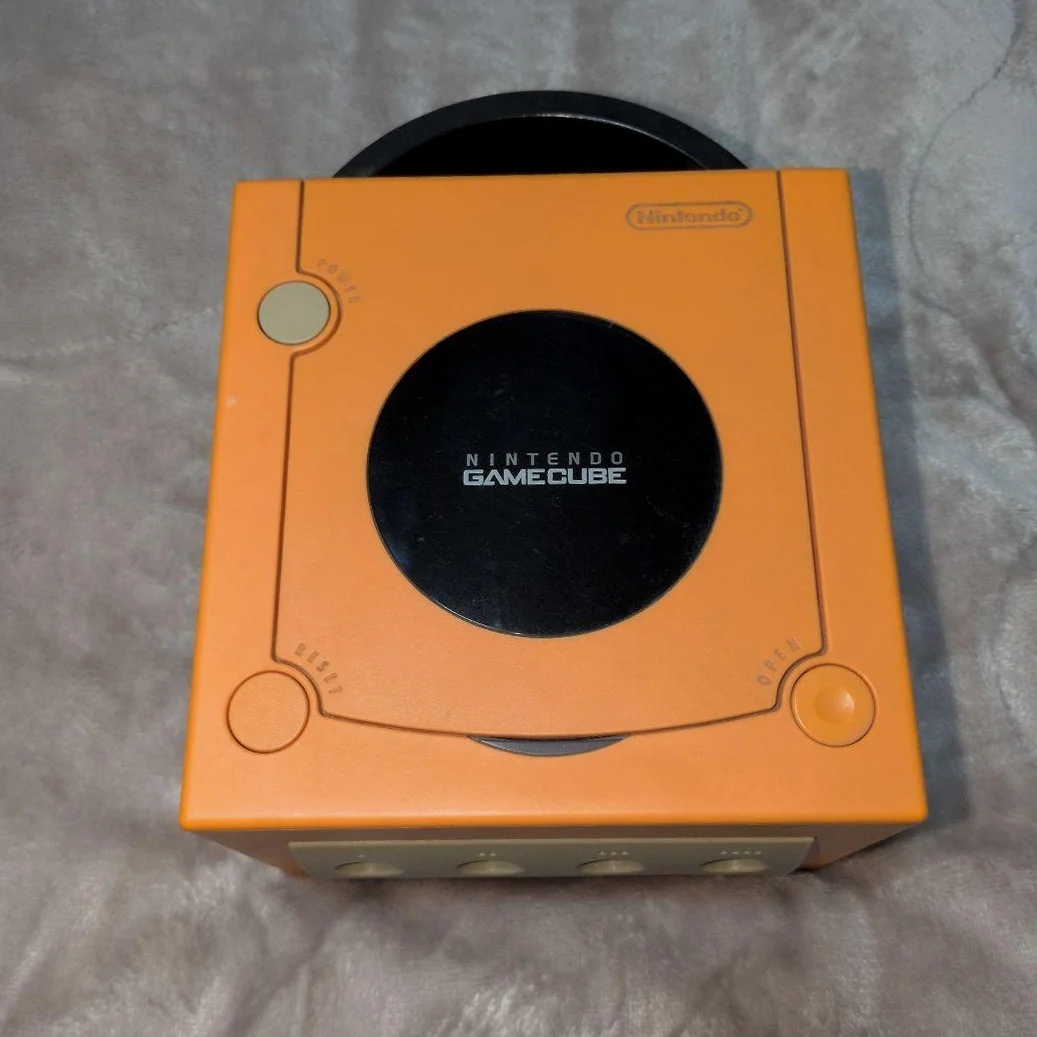
Your purple cube shows no response to power button, no indicator light, or shuts down seconds after boot. Classic: mid-game black screen, won't restart. Don't panic—usually power supply board issue. GameCube's power board is relatively independent, high repair success rate!
Required Tools
- Tri-wing screwdriver (Y-head), GameCube specific
- Phillips screwdriver, PH0 size
- Digital multimeter (preferred)
- Soldering iron and solder
- Capacitor kit (mainly electrolytic)
- Hot air station (optional, for desoldering)
- Isopropyl alcohol and cotton swabs
- Anti-static gloves and mat
Repair Procedure
1. Safe Disassembly, Remove Power Board
- Unplug all cables, note AV and power cable positions
- Remove 6 tri-wing screws from bottom
- Open top cover—careful with disc drive ribbon
- Locate power board—large board at rear
- Disconnect power board from motherboard
- Remove power board mounting screws, extract board
2. Power Board Visual Inspection
- Capacitor check: Focus on main filter caps (large cylindrical)—bulging, leaking?
- Fuse check: Locate glass tube fuse, check continuity
- Rectifier bridge: Check 4-diode bridge rectifier
- Switching transistor: Check MOSFET for burn marks
- Resistor check: Check high-power resistors for discoloration, cracks
3. Voltage Measurement & Diagnosis
- Input measurement: Measure power connector voltage—110V or 220V (region dependent)
- Fuse test: Test fuse continuity with multimeter
- Rectified voltage: Measure rectifier bridge output—~300V DC expected
- Output measurement: Measure power board output connector pins:
- Pin 1: +12V (disc drive motor)
- Pin 2: +5V (motherboard core power)
- Pin 3: +3.3V (chip power)
- Pin 4: GND (ground)
- Pin 5: GND (ground)
4. Common Fault Repairs
Fault 1: Complete No Response
- Check fuse, replace with same rating (typically 2A)
- Check rectifier bridge, replace 4 diodes if damaged
- Check switching transistor, replace with same MOSFET
Fault 2: Shuts Down Seconds After Boot
- Check main filter capacitors, replace bulging caps
- Check feedback circuit, especially optocoupler and TL431
- Check output capacitors, replace aged caps
Fault 3: Unstable Voltage
- Check regulation circuit, especially 431 voltage reference
- Check feedback resistor network, measure resistance changes
- Check output filter capacitors, replace all with low-ESR caps
5. Capacitor Replacement Guide
Common GameCube power board capacitor specifications: - Main filter caps: 400V 100μF (110V version) or 400V 47μF (220V version) - Output filter caps: - +12V output: 16V 470μF - +5V output: 10V 1000μF - +3.3V output: 6.3V 470μF - Recommended brands: Rubycon, Nichicon, Panasonic
6. Reassembly & Testing
- Clean power board, remove flux residue
- Reinstall in console, connect all cables
- Test without cover: Observe for abnormal heating, smoke
- Test power on: Indicator should light, disc drive should activate
- Test with disc, check reading function
- Continuous 30-minute operation, test stability
Parts & Pricing Reference
| Component | Price Range | Source | Gamer Advice |
|---|---|---|---|
| GameCube power board assembly | ¥80-150 | Xianyu/Taobao | Direct replacement easiest |
| Main filter capacitor | ¥5-10 | Electronics markets | Buy 105°C high-temp caps |
| Output capacitor kit | ¥15-25 | Taobao | Full replacement best results |
| Fuse (2A) | ¥2-5 | Hardware stores | Slow-blow type |
| Rectifier bridge diodes | ¥3-8 | Electronics markets | 1N4007 universal type |
GameCube Power Supply Version Differences
🎮 Regional Power Boards
- Japan/US version: 110V input, 100μF main filter
- Europe/Australia version: 220V input, 47μF main filter
- China version: 220V input, relatively rare
⚡ Power Board Model Identification
- DOL-001: Original version, with digital AV output
- DOL-101: Revised version, no digital port
- Board compatibility: Most models interchangeable
Safety Precautions
⚠️ High Voltage Warning!
- Power off: Must unplug power cable before repair
- Capacitor discharge: Large caps store high voltage—must discharge before repair
- Insulated workspace: Use insulating mat, avoid electric shock
- Solo operation: No one else should touch during repair
🔧 Soldering Techniques
- Temperature control: Soldering iron ~350°C
- Time control: Each joint ≤3 seconds
- Pad cleaning: Use desoldering pump or braid
- Check cold joints: Inspect each joint after soldering
Repair Difficulty: ★★★★☆
Estimated Time: 2-4 hours
Success Rate: 85% (capacitor issues), 60% (chip issues)
🎯 Alternative Solution: External Power Modification
If power board beyond repair, consider: 1. Purchase OEM power adapter: Ensure voltage/current match 2. DIY external power: Modify ATX power supply 3. Advantages: Reduces console heat, improves stability 4. Disadvantages: Loses portability, requires extra space
📊 Power Board Lifespan Reference
- OEM power board: Normal use 8-12 years
- Capacitor lifespan: Electrolytic caps 5-8 years (shorter in heat)
- Best practice: Regular dust cleaning, maintain ventilation
Player's Reflection: GameCube's power design is actually excellent—independent power board makes repair relatively simple. After fixing power issues, watching that purple indicator light up, disc drive spinning—that satisfaction is unmatched. Every GameCube carries player memories, worth careful restoration.
Final Advice: If unfamiliar with high-voltage circuits, consider replacing entire power board. Safety first—don't risk your life. After repair, test at least one hour to ensure complete stability!
🔍 Advanced Diagnostics: Oscilloscope Testing
With oscilloscope, more precise diagnosis: 1. Check switching frequency: Normal 50-100kHz 2. Check ripple: Output ripple should be <50mV 3. Check transient response: Voltage recovery time under load changes
🛠️ Post-Repair Maintenance
- Regular cleaning: Clean dust every 6 months
- Avoid overheating: Don't run continuously for extended periods
- Use voltage stabilizer: Recommended in unstable power regions
- Backup saves: Regularly backup important game saves