Game Boy Pocket Button Repair Complete Guide
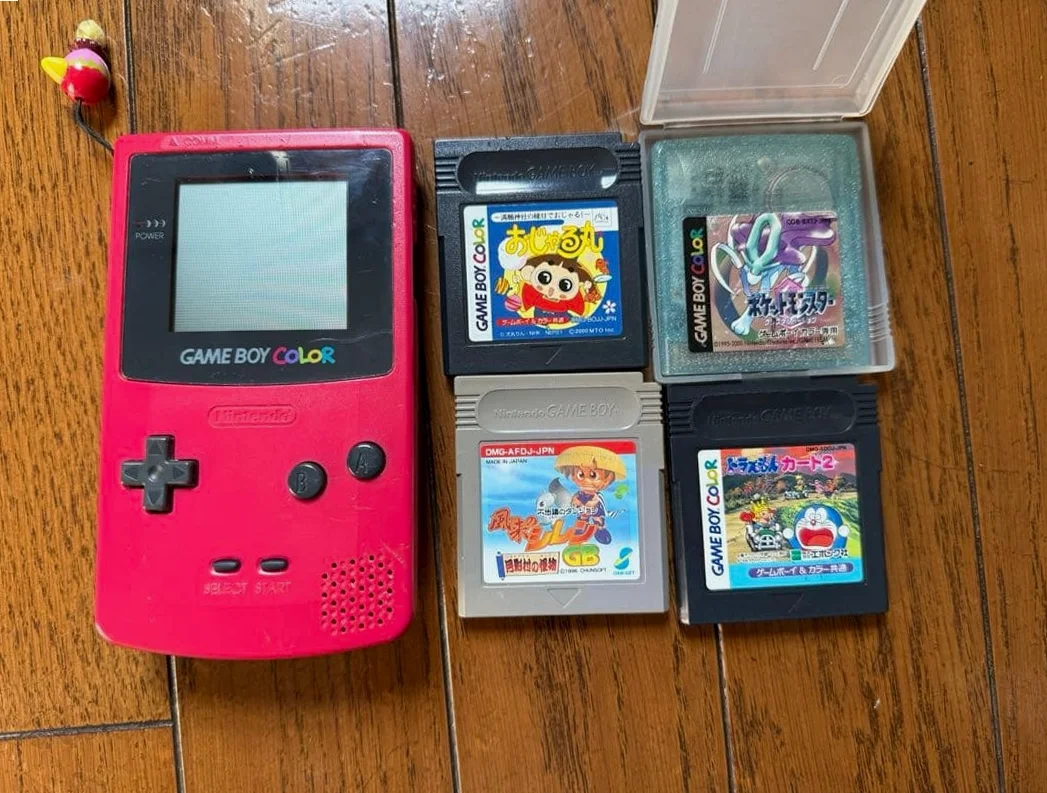
From a 20-year veteran repair technician in Akihabara
Your Game Boy Pocket buttons failing, D-pad certain direction unresponsive, A/B buttons not springing back, Select/Start buttons working intermittently. Playing Tetris when blocks uncontrollably drop right, playing Pokémon when can't open menu. Most frustrating: buttons fail at critical moment, game progress lost.
Required Tools
Standard setup from Akihabara repair shops:
- Precision screwdriver set: Japanese-made YATO YT-6991, requires Y-type screwdriver (Y00 size)
- Plastic spudger set: Various sizes of spudgers
- Tweezers: Curved and straight-tip pairs
- Isopropyl alcohol: 99% purity for cleaning contacts
- Cotton swabs: For cleaning small areas
- Conductive silver paste: For repairing worn contacts
- Multimeter: For measuring contact continuity
- New rubber pad set: D-pad and A/B button rubber pads
- New button caps: If replacement needed
- Magnifying lamp: To see small contacts clearly
- Work mat: Anti-static mat
Detailed Repair Steps
I've been repairing GameBoys in Akihabara for 20 years. Follow this method, take your time.
Step 1: Safe Disassembly
Disassembly most fears damaging other components. Take it slow:
- First remove battery cover, take out 2 AAA batteries inside
- Remove 6 screws: 4 Y-type screws on back, 2 Phillips screws hidden under battery compartment sticker
- Gently pry open shell from charging port area with plastic spudger
- Disconnect ribbon cable connecting motherboard and LCD screen
- Remove 2 screws securing motherboard, remove motherboard
Step 2: Button System Diagnosis
After removing motherboard, inspect button system:
- D-pad inspection:
- Up, Down, Left, Right four directions
- Check rubber pads for aging/cracking
- Check contacts for oxidation/wear
-
Check button caps for wear
-
A/B button inspection:
- A and B buttons
- Check rubber pad bumps for wear
- Check springs (if present) for failure
-
Check button caps for looseness
-
Select/Start button inspection:
- These buttons are microswitches
- Check switches for damage
-
Check solder joints for cracking
-
Circuit board inspection:
- Check button corresponding contacts for oxidation
- Check traces for breaks
Step 3: Rubber Pad Replacement
Rubber pad aging most common issue:
- Remove old rubber pads:
- D-pad is single cross-shaped rubber pad
- A/B buttons are two separate rubber pads
-
Gently remove with tweezers
-
Clean contacts:
- Clean circuit board contacts with cotton swab dipped in isopropyl alcohol
-
Each contact must be thoroughly cleaned
-
Install new rubber pads:
- Align D-pad rubber pad with cross axis
- Align A/B button rubber pads with positions
-
Ensure rubber pads completely flat
-
Test: Test button response after installation
Step 4: Contact Repair
If rubber pads fine, may be contact issues:
- Check contact wear:
- Inspect contacts under magnifying glass for wear
-
Worn contacts lose conductivity
-
Clean contacts:
- Thoroughly clean with isopropyl alcohol
-
Gently wipe with pencil eraser (very carefully)
-
Conductive silver paste repair:
- If contacts severely worn
- Apply small amount conductive silver paste with toothpick
- Apply thin layer on worn areas
-
Room temperature cure 24 hours
-
Test: Test conductivity after curing
Step 5: Microswitch Repair
Select/Start buttons are microswitches:
- Switch inspection:
- Should have crisp click sound when pressed
-
Measure continuity with multimeter
-
Switch cleaning:
- Spray small amount electronic cleaner
-
Press repeatedly several times
-
Switch replacement:
- If switch damaged
- Remove old switch with soldering iron
- Solder new switch (note orientation)
Step 6: Button Cap Repair
Button caps worn or loose:
- Button cap inspection:
- D-pad cross cap wear
-
A/B button round caps looseness
-
Button cap cleaning:
- Clean with isopropyl alcohol
-
Check clips intact
-
Button cap replacement:
- If severely worn
- Purchase original or third-party replacements
- Align position and press into place
Step 7: Assembly Testing
- After repair, test without full assembly first
- Connect battery, test all buttons:
- D-pad four directions
- A/B button press and rebound
- Select/Start button response
- After test passes, reassemble in reverse disassembly order
- Run game testing:
- Tetris test D-pad
- Pokémon test A/B buttons and menu buttons
- Final stress test: Continuous pressing 100 times
Key Specifications Comparison Table
| Parameter | Original Specification | Alternative Options | Japan Market Price (Feb 2026) |
|---|---|---|---|
| D-pad rubber pad | Original cross pad | Third-party alternatives | ¥400-800 |
| A/B button rubber pads | Original separate pads | Third-party alternatives | ¥300-600/pair |
| Select/Start microswitches | Original switches | General alternatives | ¥200-400/each |
| Conductive silver paste | Fujikura chemical products | Domestic alternatives | ¥1,200-2,000/10g |
| Complete button set | Original used | Third-party full set | ¥1,500-2,500 |
| Button cap set | Original used | Third-party various colors | ¥800-1,500 |
Veteran Technician's Advice
After 20 years in Akihabara, customers often ask these questions. I'll answer them one by one.
Why are Game Boy Pocket buttons prone to failure?
Three main reasons. First is rubber aging - 20+ year rubber long hardened losing elasticity. Second is contact oxidation - moisture in air causes oxidation. Third is usage frequency - action games cause significant button wear.
How often need rubber pad replacement?
Depends on usage frequency. Light usage may need replacement after 10 years. Heavy usage may need replacement after 3-5 years. If buttons unresponsive, slow rebound, need forceful pressing, time to replace.
How long conductive silver paste repair lasts?
If done well, lasts 2-5 years. Key is thorough cleaning, silver paste applied thin and even. If applied too thick, easily peels. If cleaning not thorough, poor conductivity.
How to maintain buttons?
I recommend regular cleaning, clean button gaps with cotton swab dipped in isopropyl alcohol. Avoid using in dusty environments. Don't press forcefully with fingernails, use fingertip. Store in dust-proof case when not using long time.
Repair Difficulty
Technical difficulty: ★★★☆☆ (requires careful operation) Tool requirements: ★★★☆☆ (requires some professional tools) Time cost: Approximately 1-3 hours, depends on damage extent Success rate: Very high, above 90%
My Ultimate Advice
After 20 years in Akihabara, I've summarized these key points:
- Diagnose before acting, determine if rubber or contact issue
- Simple to complex, replace rubber pads first then consider others
- Cleaning is key, contacts not cleaned everything wasted
- Test comprehensively, each button each direction must be tested
- Patience most important, button system very precise
Final thoughts. Buttons are Game Boy Pocket's soul. Without responsive buttons, even best games can't be played. Many customers bring for button repair to continue playing classic games. That Pocket that completed countless games, repaired buttons, can continue adventures.
Remember, you're repairing not just buttons, but countless gaming hours. Take your time, you can do it.
References iFixit Game Boy Button Replacement Guide: https://zh.ifixit.com/Guide/Game+Boy%E6%8C%89%E9%94%AE%E6%9B%B4%E6%8D%A2/33531 Japanese GameBoy repair community: https://gbdev.gg8.se/ Akihabara used console repair shop technical sharing Nintendo official repair manual (internal documentation)