Super Nintendo Shell Replacement Complete Guide
Overview
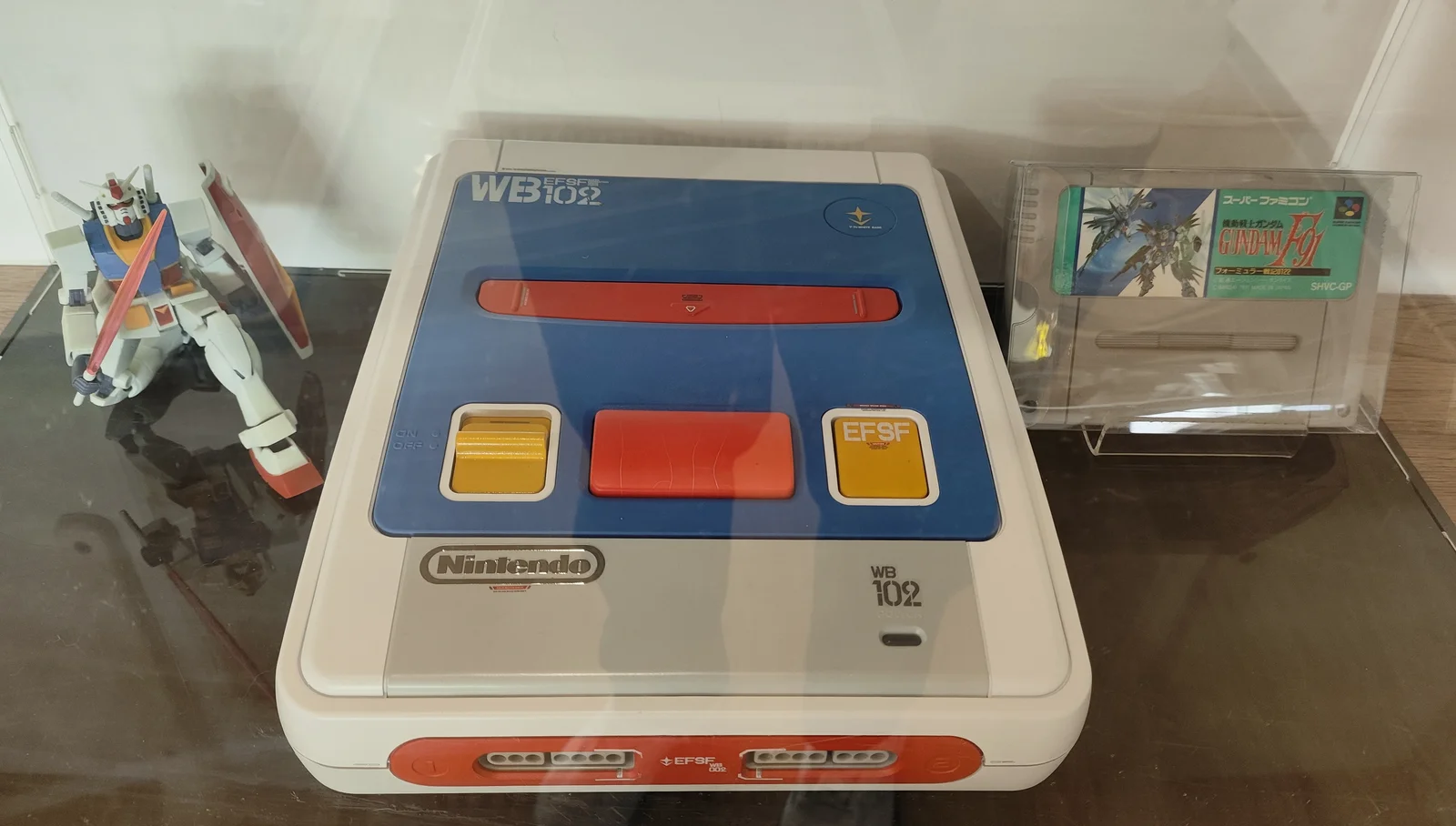
The Super Nintendo (SNES) shell protects the internal precision electronic components. However, due to long-term use, improper storage, or accidental drops, the shell may develop cracks, discoloration, wear, or damage. This guide provides detailed instructions on safely replacing the SNES shell, giving your console a fresh new look.
Required Tools
- Phillips screwdrivers (#00, #0, #1 sizes)
- Flathead screwdriver or plastic spudger
- Tweezers
- New SNES shell kit (includes top and bottom shells)
- Isopropyl alcohol and cotton swabs
- Compressed air can
- Anti-static wrist strap (recommended)
- Soft cloth or towel (to protect work surface)
- Small containers (for storing screws and small parts)
Safety Precautions
- Power off operation: Ensure SNES console completely powered off, unplug all cables
- Electrostatic protection: Wear anti-static wrist strap when handling internal electronic components
- Plastic care: SNES shell plastic may have aged and become brittle, handle with extra care
- Parts preservation: Keep all screws, springs, and small parts in safe location during disassembly
- Photo documentation: Take photos before disassembly to record original assembly and part positions
Diagnosis & Preparation
Step 1: Assess Shell Condition
- Check damage types:
- Surface wear: Scratches, discoloration, reduced gloss
- Structural damage: Cracks, breaks, missing sections
-
Functional impact: Broken clips, stripped screw holes, deformation
-
Determine replacement scope:
- Need to replace only top shell, bottom shell, or full set
- Check if button and port openings match
- Confirm new shell compatible with your SNES model
Step 2: Select New Shell
- Material selection:
- ABS plastic: Original material, good durability
- Recycled plastic: Eco-friendly option, quality may vary
-
3D printed: Custom option, requires precise modeling
-
Color selection:
- Original gray: Maintains classic appearance
- Clear shell: Shows internal structure
- Colored shell: Personalized choice
-
Special coatings: Matte, glossy, or other surface treatments
-
Quality inspection:
- Check injection molding quality for burrs, shrinkage
- Check dimensional accuracy compared to original
- Check clips and screw holes intact
Replacement Steps
Step 1: Complete Console Disassembly
- Preparation:
- Unplug all external cables
- Place console on soft, clean work surface
-
Prepare containers for sorting screws
-
Remove bottom screws:
- Use #1 Phillips screwdriver to remove all bottom screws
- SNES typically has 6-7 bottom screws
-
Note screw lengths may differ, sort by position
-
Separate shells:
- Carefully lift top shell
- Note top shell may have internal clips
-
If resistance, check for missed screws or clips
-
Disconnect internal connections:
- Disconnect power switch cable
- Disconnect reset button cable (if present)
- Note connector orientation and locking mechanisms
Step 2: Remove Internal Components
- Remove motherboard:
- Remove screws securing motherboard
- Carefully lift motherboard, avoid bending
-
Disconnect all cables connected to shell
-
Remove power board (if needed):
- Remove screws securing power board
- Disconnect power input connector
-
Carefully remove power board
-
Remove cartridge slot:
- If cartridge slot connects to shell, carefully remove
-
Note springs and mechanical components
-
Remove other components:
- Remove controller ports (if separate from shell)
- Remove RF modulator (early models)
- Remove all buttons and switches
Step 3: Cleaning & Inspection
- Clean old components:
- Clean motherboard and all electronic components with compressed air
- Clean connector contacts with isopropyl alcohol
-
Check all components intact, any needing repair
-
Inspect new shell:
- Inspect every detail of new shell
- Test all openings align properly
- Check clips and screw holes intact
- Clean inside of new shell, remove any manufacturing residue
Step 4: Install into New Shell
- Install basic components:
- First install power board into new bottom shell (if applicable)
- Install cartridge slot and related mechanical components
-
Install controller ports
-
Install motherboard:
- Carefully place motherboard into new bottom shell
- Align all mounting holes
-
Don't tighten all screws yet
-
Install buttons and switches:
- Install power switch
- Install reset button
- Install eject button and related springs
-
Test each button action smooth
-
Connect internal cables:
- Connect all internal cables according to original layout
- Ensure connectors fully inserted and locked
- Organize cables to avoid pinching or interfering with other components
Step 5: Final Assembly
- Check alignment:
- Check all components properly positioned
- Check all openings aligned
-
Check button and switch functions
-
Install top shell:
- Align top shell with bottom shell
- Ensure all clips properly engaged
-
Start from one side, gradually close
-
Tighten screws:
- Tighten all screws in diagonal pattern
- Don't overtighten to avoid damaging plastic threads
- Use appropriately sized screwdriver to avoid stripping
Step 6: Function Testing
- Visual inspection:
- Check shell completely closed, no gaps
- Check all buttons properly protruding
-
Check all ports unobstructed
-
Basic function test:
- Connect power and video cables
- Turn on power switch, test indicator light
- Test reset button
-
Test eject button
-
Comprehensive function test:
- Insert game cartridge, test reading
- Test both controller ports
- Test video and audio output
- Extended operation test for stability
Special Model Considerations
SNS-001 (Original SNES)
- Purple power and reset buttons
- More rounded design
- May have different clip design
SNS-101 (SNES Jr./Slim)
- Smaller form factor
- Integrated controller ports
- Different internal layout
Regional Differences
- North American version: Purple buttons, raised LOGO
- Japanese version: Colored buttons, flat LOGO
- European version: Different power requirements, possible design adjustments
Common Issues & Solutions
Issue 1: New shell won't close completely
- Possible cause: Components improperly installed or shell dimension issue
- Solution: Check each component properly positioned, adjust slightly if necessary
Issue 2: Buttons sticking or not smooth
- Possible cause: Button alignment with shell openings
- Solution: Check button installation, lightly sand opening edges if necessary
Issue 3: Screw holes not aligning
- Possible cause: Shell manufacturing tolerance or component installation deviation
- Solution: Don't force screws, check alignment, use smaller screws or enlarge holes if necessary
Issue 4: Internal cables too short
- Possible cause: New shell internal layout slightly different
- Solution: Re-route cables, or consider cable extensions
Customization & Enhancement Options
Paint Customization
- Surface preparation: Thoroughly clean, lightly sand to increase adhesion
- Primer: Use plastic-specific primer
- Color paint: Multiple thin coats, avoid runs
- Protective coat: Use clear protective coat for increased durability
Stickers & Decoration
- Custom stickers: Design and print personalized stickers
- Hydro dipping: Ideal for complex patterns
- UV printing: Direct printing on shell
Functional Enhancements
- LED modifications: Add status indicators or decorative lighting
- Ventilation enhancement: Add ventilation holes for improved cooling
- Port upgrades: Add modern video output ports
Maintenance Recommendations
- Regular cleaning:
- Use microfiber cloth for surface cleaning
- Avoid harsh chemical cleaners
-
Regularly clean ventilation openings
-
Storage advice:
- Store in cool, dry location
- Avoid direct sunlight to prevent discoloration
-
Use dust cover for protection
-
Usage habits:
- Avoid placing heavy objects on console
- Carefully insert/remove cables
- Regularly check shell integrity
Technical Specifications
- Material: ABS plastic (original)
- Color: Light gray (North America), various colors (other regions)
- Dimensions: Approximately 260mm × 200mm × 70mm (SNS-001)
- Weight: Approximately 1.1kg (with internal components)
- Surface finish: Textured surface to reduce fingerprints
Professional Tips
- Plastic handling:
- If plastic clips break, can repair with plastic welding
- Use plastic-specific adhesive for bonding
-
Use fine sandpaper for sanding, avoid excessive wear
-
Screw management:
- Use magnetized screwdriver to prevent screw drops
- Create screw position diagram to ensure correct installation
-
If screw holes stripped, repair with plastic filler
-
Compatibility verification:
- Confirm shell fully matches your SNES model before purchase
- Check button colors and styles consistent
- Confirm all opening positions and dimensions correct
Summary
Replacing SNES shell is a medium-difficulty repair task, main challenges being careful handling of internal components and ensuring proper reassembly. Following this guide's detailed steps, you can give old or damaged SNES a fresh new look. Whether repairing damaged shell or personalizing customization, patience and attention to detail are key to success. If unfamiliar with electronic device disassembly, recommend watching related video tutorials first or seeking help from experienced friends.
Last updated: February 28, 2026
Reference source: iFixit Super Nintendo Outer Case Replacement Guide