Complete Guide to Nintendo 64 Cartridge Disassembly
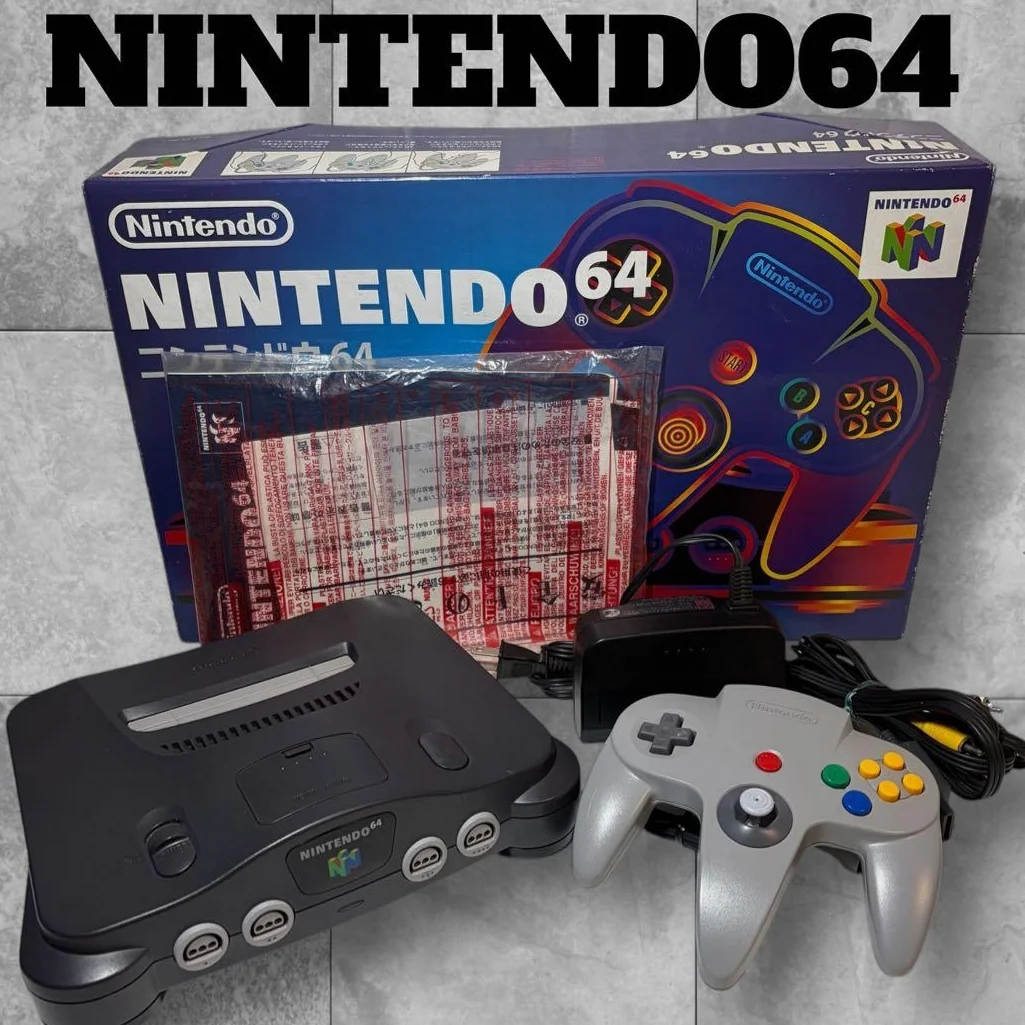
Want to "open up" your N64 cartridge? Maybe you need to replace the battery, clean the contacts, repair the shell, or just curious about the internal structure. N64 cartridge structure is relatively simple, but disassembly requires skill and proper tools. Master this craft, and you can save those "amnesiac" game cartridges!
Required Tools
- 3.8mm Game Bit screwdriver (essential!)
- Plastic spudger, to avoid scratching shell
- Tweezers, for handling small parts and battery
- Anti-static mat, to protect circuit board
- Isopropyl alcohol and cotton swabs, for contact cleaning
- Magnifying glass, to inspect solder joints and components
- CR2032 coin cell battery (if replacement needed)
- Soldering iron (if battery soldering needed)
Repair Steps
1. Preparation
- Confirm reason for disassembly: battery replacement, cleaning, repair, etc.
- Prepare suitable workbench: clean, flat, good lighting
- Photograph documentation: Take photos before disassembly for reassembly reference
- Prepare parts container: Store screws and small parts
- Important: Ensure hands are clean and dry, avoid static electricity
2. Disassembling Cartridge Shell
- Locate screw position: Special screw at cartridge bottom
- Key Tool: Must use 3.8mm Game Bit screwdriver
- Loosen screw counterclockwise (don't remove completely)
- Gently separate top and bottom shells with plastic spudger
- Note Clips: Shell has 4 clips, don't use excessive force
- Completely separate shells, extract internal circuit board
3. Inspecting Internal Structure
- Observe circuit board: ROM chip, RAM chip, battery, etc.
- Check contacts: Oxidation, dirt condition
- Check battery: CR2032 coin cell, check voltage
- Check solder joints: Battery solder joints for oxidation, desoldering
- Check shell: Clips intact, any cracks
4. Common Repair Operations
A. Replacing Save Battery
- Note battery polarity: Positive/negative positions
- Heat old battery solder joints with soldering iron
- Remove old battery with tweezers
- Clean solder pads, prepare new battery
- Solder new battery, ensure correct polarity
- Test voltage: Should be around 3V
B. Deep Contact Cleaning
- Soak cotton swab in isopropyl alcohol
- Wipe contacts in one direction (don't scrub back and forth)
- Use eraser for light oxidation (optional)
- Final clean with microfiber cloth
- Check cleaning results: Contacts should be shiny
C. Shell Repair
- Clean shell interior and exterior surfaces
- Repair cracks: Carefully bond with plastic adhesive
- Repair clips: If broken, reinforce with adhesive
- Clean label: Gently wipe with soft cloth
5. Reassembly
- Place circuit board back into bottom shell
- Align all positioning posts and screw holes
- Close top shell, press clips into place
- Check gaps: Should be even with no warping
- Tighten bottom screw (don't overtighten)
- Test cartridge: Insert into console and run game
Parts and Price Reference
| Required Part | Reference Price | Purchase Channel | Player Comments |
|---|---|---|---|
| Game Bit Screwdriver | $2-4 USD | Online tool sets | Must buy, regular screwdrivers won't work |
| CR2032 Battery | $0.75-1.5 USD each | Supermarket, electronics store | Panasonic or Sony brands better |
| Plastic Spudger Set | $1.5-3 USD | Phone repair shop | Avoids scratching shell |
| Isopropyl Alcohol 100ml | $4-5 USD | Chemical supply store | Better than alcohol, evaporates quickly |
| Soldering Iron Set | $8-15 USD | Hardware store | Needed for battery replacement |
| N64 Empty Shell | $3-6 USD | eBay | If original shell severely damaged |
Veteran Player Experience Library
🎮 N64 Cartridge Technical Features
- ROM Chip: Stores game program, not rewritable
- SRAM Chip: Stores game saves, requires battery power
- CIC Chip: Region lock and anti-piracy chip
- PCB Board: Green or brown, varies by production period
- Contacts: 62 pins, fewer than SNES
🔧 Common Cartridge Issues
- Dead Battery: Save data loss, most common issue
- Contact Oxidation: Game won't read or graphical glitches
- Shell Damage: Cracks, broken clips
- Label Damage: Affects collector value
- Internal Corrosion: Battery leakage causing damage
💡 Cartridge Modification Possibilities
- Battery Holder Modification: Easy future battery replacement
- FRAM Modification: Replace SRAM with FRAM chip, no battery needed
- Region Unlock: Modify CIC chip for cross-region gaming
- Flash Cart Modification: Combine multiple games into one cartridge
- LED Indicator: Add save status indicator light
Repair Difficulty: ★★☆☆☆
Estimated Time: 30-60 minutes each
Success Probability: 95% (cartridge structure simple)
📚 Trivia: N64 Cartridge "Secrets"
- Different Capacities: 4MB to 64MB, early games had smaller capacity
- Chip Combinations: Some games have special chips, like Animal Forest's RTC
- Production Batches: Early cartridges better made, later simplified for cost reduction
- Regional Differences: US/JP/EU versions may have subtle internal differences
🎯 Philosophy of Cartridge Disassembly
Disassembling cartridges is like archaeology: 1. Respect History: Try to preserve original appearance, avoid excessive modification 2. Preserve Memories: Game saves are players' precious memories 3. Pass on Value: Repair cartridges so more people can experience classics 4. Learning Opportunity: Understand 90s gaming technology through disassembly
🔍 How to Determine if Cartridge Needs Disassembly Repair
- Save Data Loss: Dead battery, needs replacement
- Reading Difficulties: Contact oxidation, needs cleaning
- Shell Damage: Affects use and collection
- Internal Rattling: Possibly loose parts inside
- Collection Maintenance: Regular maintenance to prevent issues
🌟 Cartridge Maintenance Guide
- Regular Inspection: Check battery voltage every 1-2 years
- Proper Storage: Store upright, avoid compression
- Environmental Control: Avoid high temperature and humidity
- Cleaning Maintenance: Regularly clean shell and contacts
- Usage Habits: Keep cartridge level when inserting/removing
⚠️ Precautions
- Static Protection: Circuit boards are static sensitive
- Tool Specificity: Must use Game Bit screwdriver
- Battery Polarity: Don't reverse polarity when soldering battery
- Label Protection: Avoid damaging label during disassembly
- Test Verification: Always test functionality after repair
Player's Voice: Every N64 cartridge is a miniature computer storing an entire game world. Disassembling a cartridge is like opening a time capsule—inside are not just circuits and chips, but countless memories of late-night gaming sessions. Replace the battery, clean the contacts, let The Legend of Zelda: Ocarina of Time saves never be lost again, let Mario Kart 64 four-player battles continue anytime. These cartridges aren't just plastic and silicon—they're tickets to the joyful times of the 90s, worth our careful maintenance.