PlayStation Vita Analog Stick Replacement Complete Guide
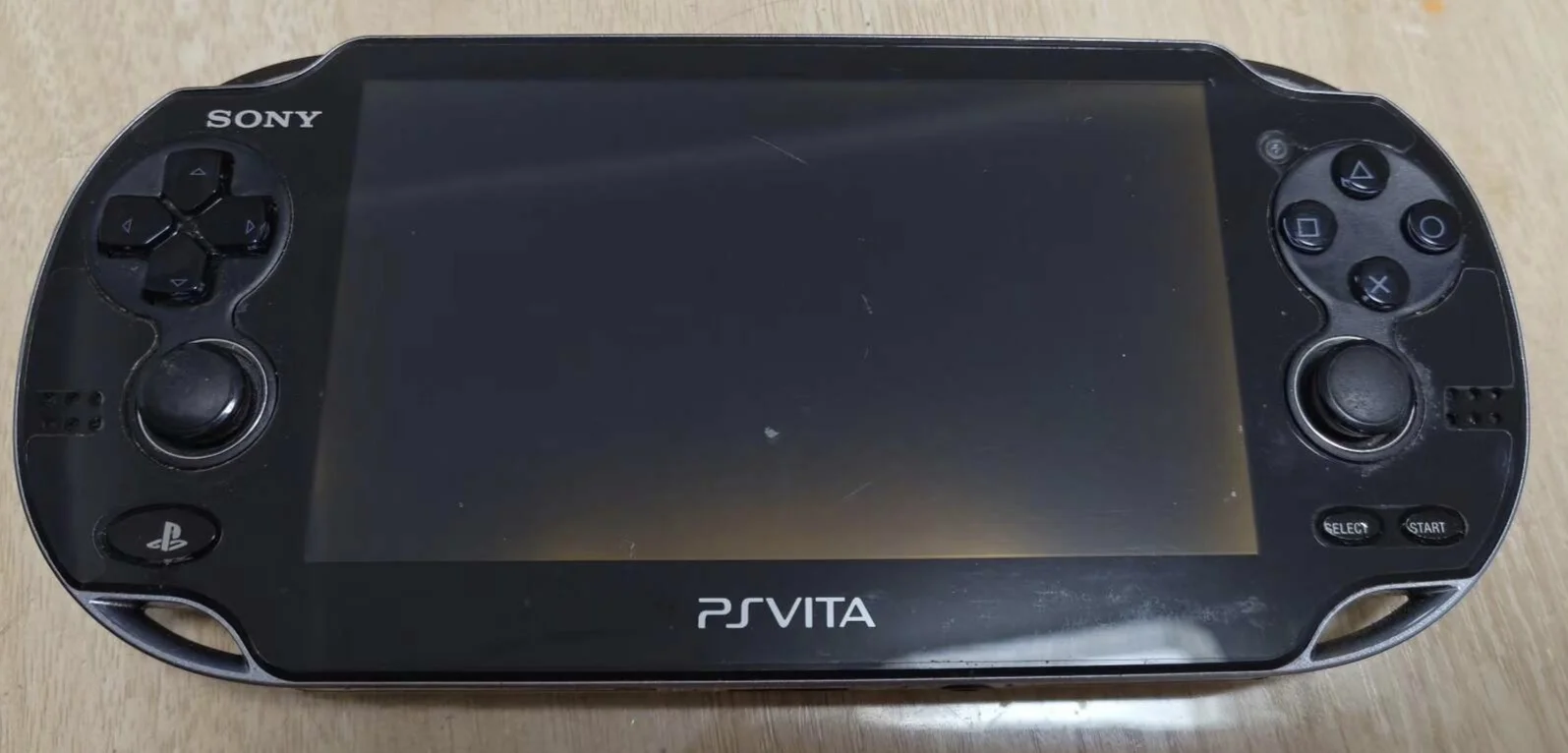
Overview
Help! My PSV joystick is drifting again! Playing Killzone right at sniper moment, crosshair suddenly drifts by itself; in Uncharted, Drake spins in circles for no reason; can't even control direction properly in Gravity Rush! This damn joystick drift is driving me insane! What's worse, this isn't the first time—fixed it just four months ago, now it's back! Am I doomed to live with "joystick drift anxiety" forever? No way! Today I'm going to permanently solve this stubborn problem and restore precise control to my PSV!
Tools Required
- Cross-head screwdriver (PH00)
- Plastic spudger
- Tweezers
- New PS Vita analog stick module (left/right)
- Anti-static wrist strap (recommended)
Safety Precautions
- Power off operation: Ensure PS Vita is completely powered off and battery disconnected
- Static protection: Discharge static electricity before operation, wear anti-static wrist strap
- Ribbon cable care: Analog stick ribbon cables are fragile, handle gently
- Component storage: Arrange removed screws in order to avoid loss
Analog Stick Specifications
Technical Specifications
- Type: Analog stick (not digital)
- Precision: 256-level pressure sensing
- Connection: Ribbon cable to motherboard
- Compatibility: Left and right stick modules are different, not interchangeable
Common Issues
- Stick drift: Automatically moves in certain direction when stationary
- Directional failure: No response in certain direction
- Return spring issue: Doesn't return to center when released
- Sticking feeling: Movement not smooth, has resistance
- Button failure: No response when pressing stick (L3/R3)
Step-by-Step Instructions
Step 1: Identify Faulty Stick
- Enter System Settings → Peripheral Devices → Test Peripheral Devices
- Test left and right stick functions
- Determine which stick needs replacement (left or right)
- Purchase corresponding stick module
Step 2: Remove Rear Panel
PS Vita 1000 Series
- Find gap at edge of rear panel
- Use plastic spudger to pry from corner
- Slowly move along edge, release all clips
- Carefully remove rear panel
PS Vita 2000 Series
- Remove screws on rear panel
- Use plastic spudger to gently pry rear panel
- Note clip positions to avoid damage
- Carefully remove rear panel
Step 3: Complete Power Disconnection
- Locate battery connector
- Use plastic spudger to disconnect battery
- Ensure device is completely powered off
Step 4: Access Stick Module
Left Stick Access
- Left stick located on left side of motherboard
- May need to remove some frame or components
- Expose left stick module
Right Stick Access
- Right stick located on right side of motherboard
- May need to remove some frame or components
- Expose right stick module
Step 5: Remove Old Stick
- Locate stick ribbon cable connector
- Use tweezers to gently lift ribbon cable latch
- Carefully pull out stick ribbon cable
- Remove screws securing stick module (usually 2-3)
- Remove old stick module
- Note stick module installation orientation
Step 6: Clean Installation Area
- Use cotton swabs to clean stick installation area
- Check stick opening for dust or debris
- Clean ribbon cable connector
- Ensure installation area is clean and dust-free
Step 7: Install New Stick
- Place new stick module into installation position
- Note installation orientation (usually marked or slotted)
- Tighten securing screws
- Connect stick ribbon cable
- Ensure ribbon cable is fully inserted
- Press ribbon cable latch to secure
Step 8: Preliminary Testing
- Temporarily connect battery
- Power on and enter stick test interface
- Test stick response in all directions
- Test press function (L3/R3)
- Check for drift issues
Step 9: Reassembly
- Install all removed frames and components
- Install motherboard (if removed)
- Connect battery
- Install rear panel
- Tighten all screws
Function Testing
Basic Testing
- Center position test: Check if stick returns to center automatically
- Full direction test: Test up, down, left, right, diagonal directions
- Pressure test: Test response at different pressure levels
- Press test: Test L3/R3 button function
Precision Testing
- Slow movement: Test fine control capability
- Fast movement: Test quick response capability
- Circular motion: Test smoothness of circular movement
- Diagonal motion: Test diagonal movement precision
Game-Specific Testing
- First-person shooter: Test camera control precision
- Third-person action: Test character movement control
- Racing games: Test directional control sensitivity
- Sports games: Test stick operation smoothness
Calibration Testing
- System calibration: Perform stick calibration in system settings
- In-game calibration: Calibrate in supported games
- Drift test: Observe for automatic movement when stationary
Common Issues & Solutions
Issue 1: Stick Drift
- Possible cause: New stick needs calibration or potentiometer issue
- Solution: Perform system calibration, check stick module quality
Issue 2: No Response in Certain Direction
- Possible cause: Ribbon cable not properly connected or stick module failure
- Solution: Reconnect ribbon cable, replace stick module
Issue 3: Press Function Failure
- Possible cause: L3/R3 microswitch failure
- Solution: Check microswitch, replace stick module
Issue 4: Inconsistent Feel
- Possible cause: Different left/right stick modules or installation issue
- Solution: Ensure correct model used, reinstall
Stick Maintenance
Daily Maintenance
- Regular cleaning: Use compressed air to clean around stick
- Avoid liquids: Prevent liquid from entering stick mechanism
- Proper use: Don't apply excessive force when pressing or twisting
- Dust protection: Use protective case to prevent dust entry
Performance Optimization
- Regular calibration: Perform system calibration monthly
- Wear check: Regularly check stick cap wear
- Lubrication maintenance: Use specialized lubricant when necessary
- Function testing: Regularly test all stick functions
Parts Selection
Genuine Parts Features
- Precise molding: Perfect fit for PS Vita
- Quality potentiometer: High precision, long lifespan
- Reliable ribbon cable: Stable connection, less prone to damage
- Correct feel: Moderate spring return, comfortable operation
Compatible Parts Selection
- Model matching: Ensure purchasing correct left or right model
- Brand selection: Choose compatible parts from reputable brands
- User reviews: Reference other users' evaluations
- Function testing: Verify complete functionality before purchase
Professional Repair Techniques
Disassembly Techniques
- Ordered disassembly: Follow fixed order of operations
- Tool usage: Use appropriate plastic tools
- Photo documentation: Take photos at each step
- Component storage: Categorize and store screws and small parts
Installation Techniques
- Orientation confirmation: Ensure stick module orientation is correct
- Ribbon cable handling: Handle fragile ribbon cables carefully
- Step-by-step testing: Test at each installation step
- Calibration importance: Must perform calibration after installation
Requirements for Different Game Types
Shooting Games
- Requirements: High precision, fast response
- Maintenance: More frequent calibration and cleaning needed
Action Games
- Requirements: Smooth control, combination operations
- Maintenance: Pay attention to stick durability and feel
Racing Games
- Requirements: Linear control, precise steering
- Maintenance: Good spring return and center positioning needed
RPG Games
- Requirements: Menu navigation, character movement
- Maintenance: Pay attention to stick accuracy and reliability
Troubleshooting Process
Step 1: Symptom Analysis
- Identify specific problem (drift, failure, sticking, etc.)
- Analyze possible causes
- Develop repair plan
Step 2: Preliminary Check
- System test to identify faulty stick
- External inspection of stick condition
- Determine if internal repair is needed
Step 3: Deep Repair
- Follow this guide for repair
- Replace damaged stick module
- Comprehensive testing and calibration
Cost-Benefit Analysis
Repair Costs
- Genuine stick module: ¥80-150 each
- Compatible stick module: ¥40-80 each
- Professional repair: ¥150-250 (including labor)
- DIY repair time: 40-70 minutes
Repair Value
- Gaming experience: Restore precise game control
- Device functionality: Maintain complete device function
- Usage comfort: Improve stick feel and operation
- Problem prevention: Prevent minor issues from affecting gaming experience
Summary
Replacing PlayStation Vita analog sticks is a repair task requiring careful operation. Proper replacement can restore precise game control and significantly improve gaming experience. Following this guide's steps, paying attention to stick orientation and calibration, most users can successfully complete the replacement.
Repair difficulty: ★★★☆☆ (Moderately difficult)
Time required: 40-70 minutes
Success probability: Over 85%
Note: Analog stick repair involves precision components and calibration. If you lack relevant experience or confidence, seek help from professional repair technicians. Improper installation may affect stick precision and function.
Calibration importance: Must perform system calibration after stick replacement - this is crucial for ensuring proper stick operation.
Applicable models: PlayStation Vita 1000 series (PCH-1000) and 2000 series (PCH-2000)