PSP 1000 UMD Drive Repair Complete Guide
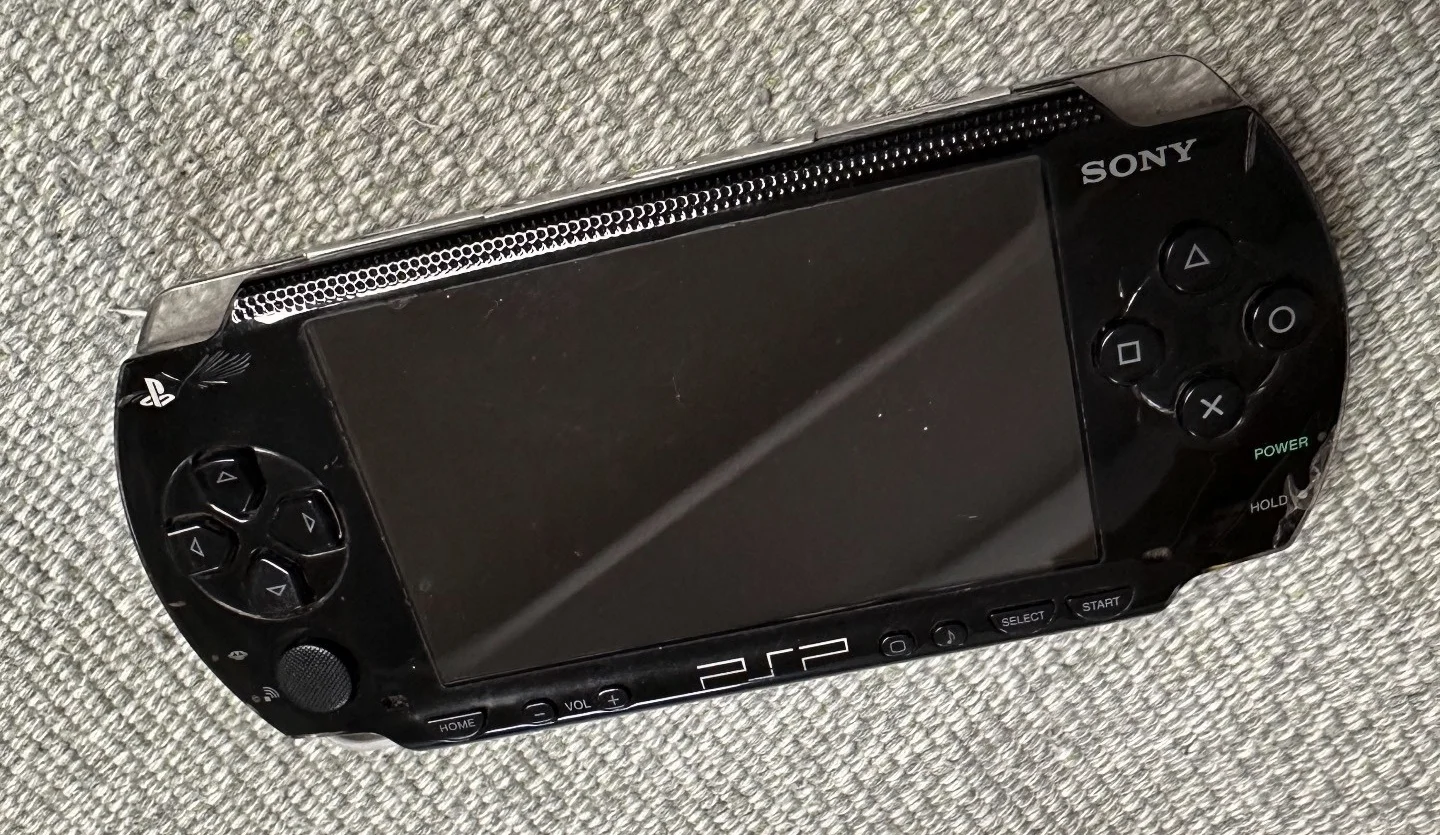
PSP 1000 Black Console
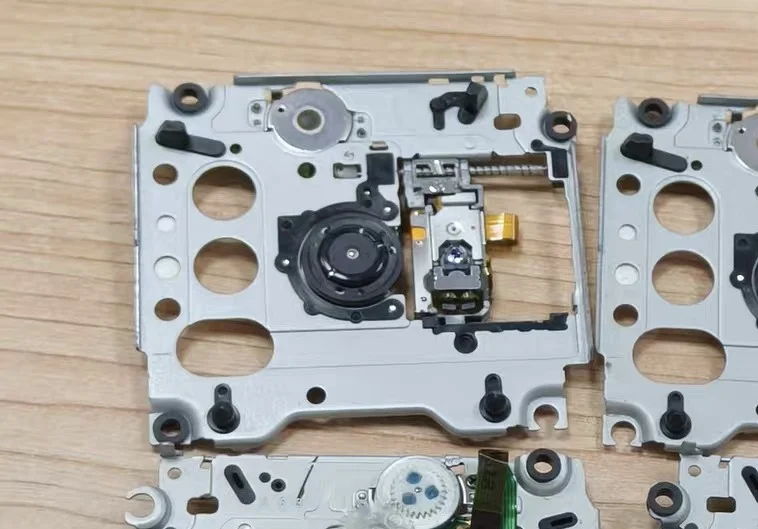
PSP UMD Drive Close-up
Your PSP 1000 has disc reading issues, frequently shows "Cannot read disc," or the UMD door won't open or close. As PSP's signature feature, the UMD drive may be outdated, but repairing it keeps your PSP fully functional. Don't worry—UMD drive repair is relatively straightforward!
Required Tools
- Phillips screwdriver, PH00 size
- Plastic spudger or guitar pick
- Isopropyl alcohol and cotton swabs
- Precision tweezers
- Cotton swab sticks
- Laser lens cleaning disc or specialized cleaning swabs
- Silicone grease (for lubricating mechanical parts)
- Anti-static gloves and work mat
Repair Steps
1. Safe Disassembly and Drive Removal
- Complete Power Off: Remove battery and UMD disc (if possible)
- Open PSP: Follow standard disassembly steps to open shell
- Locate UMD Drive: Large component on PSP's right side
- Disconnect:
- Unplug drive ribbon cable (located on motherboard's right side)
- Remove screws securing drive (typically 3-4)
- Remove Drive: Carefully remove entire UMD drive module
2. UMD Drive Disassembly and Cleaning
- Open Drive Housing: Remove drive housing screws
- Remove Disc Tray: If there's a stuck disc, remove it now
- Clean Laser Lens:
- Use specialized laser lens cleaning swabs
- Dip in small amount of isopropyl alcohol
- Gently wipe laser lens
- Important: Don't press hard on the lens
- Clean Rails: Clean movement rails for disc tray
- Clean Sensors: Clean position sensors and limit switches
3. Mechanical Component Repair
Door Issue Repair
- Door Won't Open:
- Check door latch mechanism
- Clean and lubricate latch slider
- Check if spring is detached or broken
- Door Won't Close:
- Check door latch for wear
- Check limit switch function
- Adjust door position
Tray Movement Issues
- Tray Stuck:
- Check rails for obstructions
- Clean and lubricate rails
- Check gears for damage
- Tray Not Positioning Correctly:
- Check position sensors
- Check motor drive gears
- Adjust tray position
4. Laser Lens Adjustment and Testing
- Power Adjustment (proceed with caution):
- Locate adjustable resistor on laser assembly
- Usually marked "VR" or "POT"
- Slightly increase power (5-10 degrees each time)
- Warning: Excessive adjustment can burn out laser
- Focus Adjustment:
- Check focus coil function
- Check objective lens cleanliness
- Disc Reading Test:
- Assemble drive, connect to PSP for testing
- Use known-good UMD disc
- Observe disc reading process and results
5. Drive Assembly and Testing
- Reassembly: Assemble drive in reverse order of disassembly
- Lubricate Key Areas:
- Apply small amount of silicone grease to rails
- Apply small amount of grease to gear meshing points
- Apply small amount of silicone grease to door sliders
- Install Back into PSP: Install drive back into console
- Comprehensive Testing:
- Test door opening/closing
- Test disc reading
- Test game operation
UMD Drive Technical Details
🔍 UMD Technical Specifications
- Disc Size: 60mm diameter
- Capacity: 900MB (single layer), 1.8GB (dual layer)
- Laser Wavelength: 660nm (red)
- Rotation Speed: CLV (Constant Linear Velocity)
- Read Speed: Maximum 11Mbps
⚙️ Drive Mechanical Structure
- Loading Mechanism: Handles disc insertion/ejection
- Spindle Motor: Rotates disc
- Optical Pickup Assembly: Reads data
- Rail System: Pickup movement track
- Control Circuit: Drives and controls all components
Common Faults and Solutions
Fault 1: Complete No Disc Reading
Possible Causes:
- Laser assembly completely failed
- Spindle motor damaged
- Control circuit failure
- Ribbon cable poor contact
Troubleshooting Steps:
- Check if laser emits red light (observe carefully)
- Check if spindle motor rotates
- Check ribbon cable connections
- Measure motor power supply voltage
Fault 2: Difficult Disc Reading (Intermittent)
Possible Causes:
- Laser aging
- Dirty lens
- Poor focus
- Poor quality disc
Solutions:
- Thoroughly clean laser lens
- Slightly adjust laser power
- Clean disc tray
- Use high-quality UMD discs
Fault 3: Door Mechanical Issues
Common Problems:
- Door spring detached
- Latch mechanism worn
- Slider sticking
- Limit switch failure
Repair Methods:
- Reinstall or replace spring
- Repair or replace latch components
- Clean and lubricate slider
- Check and repair limit switch
Repair Difficulty: ★★★★☆
Estimated Time: 2-4 hours
Success Probability: 70% (cleaning/adjustment), 40% (component replacement)
🛠️ Deep Laser Lens Cleaning
If regular cleaning doesn't work, try deep cleaning:
Step 1: Disassemble Laser Assembly
- Remove laser assembly mounting screws
- Carefully remove laser assembly
- Note ribbon cables and flexible cables
Step 2: Clean Internal Optical Components
- Clean objective lens (outermost lens)
- Clean beam splitter prism (if present)
- Clean photodiodes
- Use isopropyl alcohol and specialized swabs
Step 3: Inspection and Reassembly
- Check focus and tracking coils
- Check flexible cables are intact
- Reassemble laser assembly
- Test function
🔧 Laser Power Adjustment Guide
Important Warning: Adjustment carries risk—may permanently damage laser!
Pre-adjustment Preparation
- Locate Adjustable Resistor: Usually on laser assembly side
- Mark Original Position: Use marker to note initial position
- Prepare Test Disc: Use known-good UMD
- Small Adjustments: No more than 10 degrees per adjustment
Adjustment Steps
- Turn clockwise slightly to increase power
- Test disc reading effectiveness
- If no improvement, continue slight adjustments
- If worse, return to original position
- Maximum Adjustment Range: No more than 30 degrees from original position
💡 UMD Drive Maintenance Tips
Methods to extend drive lifespan:
Daily Use Maintenance
- Keep Clean: Regularly clean UMD compartment
- Proper Disc Handling: Handle gently, avoid scratches
- Avoid Vibration: Don't move PSP while reading disc
- Use Disc Cases: Store UMD discs in dedicated cases
Long-term Storage Recommendations
- Remove Discs: Remove UMD discs when not in use long-term
- Regular Power On: Power on and read disc every 1-2 months
- Dry Environment: Store in dry place, avoid humidity
- Proper Temperature: Avoid extreme temperature environments
🎯 Alternative Solutions: UMD Drive Disabling
If drive cannot be repaired or is rarely used:
Option 1: Software Disable
- Install Custom Firmware (CFW)
- Disable UMD auto-read
- Run games directly from memory stick
- Advantages: Saves power, reduces mechanical wear
Option 2: Physical Removal
- Completely remove UMD drive
- Install larger capacity battery
- Or install other modification modules
- Advantages: Reduces weight, increases battery life
Option 3: External Drive
- Use UMD dumping tools to backup games
- Store backup games on memory stick
- Keep original UMD discs as collection
- Advantages: Protects original discs, faster loading
📊 UMD Drive Lifespan Statistics
Based on player community data: - Average Lifespan: 3-5 years (with frequent use) - Laser Lifespan: Approximately 1000-2000 hours - Mechanical Component Lifespan: Approximately 5000 door open/close cycles - Well-maintained Drive: Can last 8+ years
🔍 Quick Disc Reading Problem Diagnosis
Symptom: Shows "Cannot read disc"
- Clean laser lens → If no improvement
- Clean disc → If no improvement
- Adjust laser power slightly → If no improvement
- Replace laser or entire drive
Symptom: Disc Doesn't Rotate
- Check spindle motor → If normal
- Check motor drive circuit → If normal
- Check control chip → If normal
- Replace entire drive module
Repair Experience: PSP 1000's UMD drive design is relatively mature—most issues can be resolved through cleaning and adjustment. Original drives have good quality; if still functional, try to repair rather than replace.
Cost Consideration: Used UMD drive module costs about ¥50-80, laser assembly alone about ¥30-50. If PSP itself has low value, consider software alternatives.
Final Recommendation: If you only occasionally play UMD games, consider backing up games to memory stick for running—this significantly extends drive lifespan. The UMD drive is the most problematic mechanical component in PSP—proper use and regular maintenance are important.