Nintendo 64 Top Cover Replacement Complete Guide
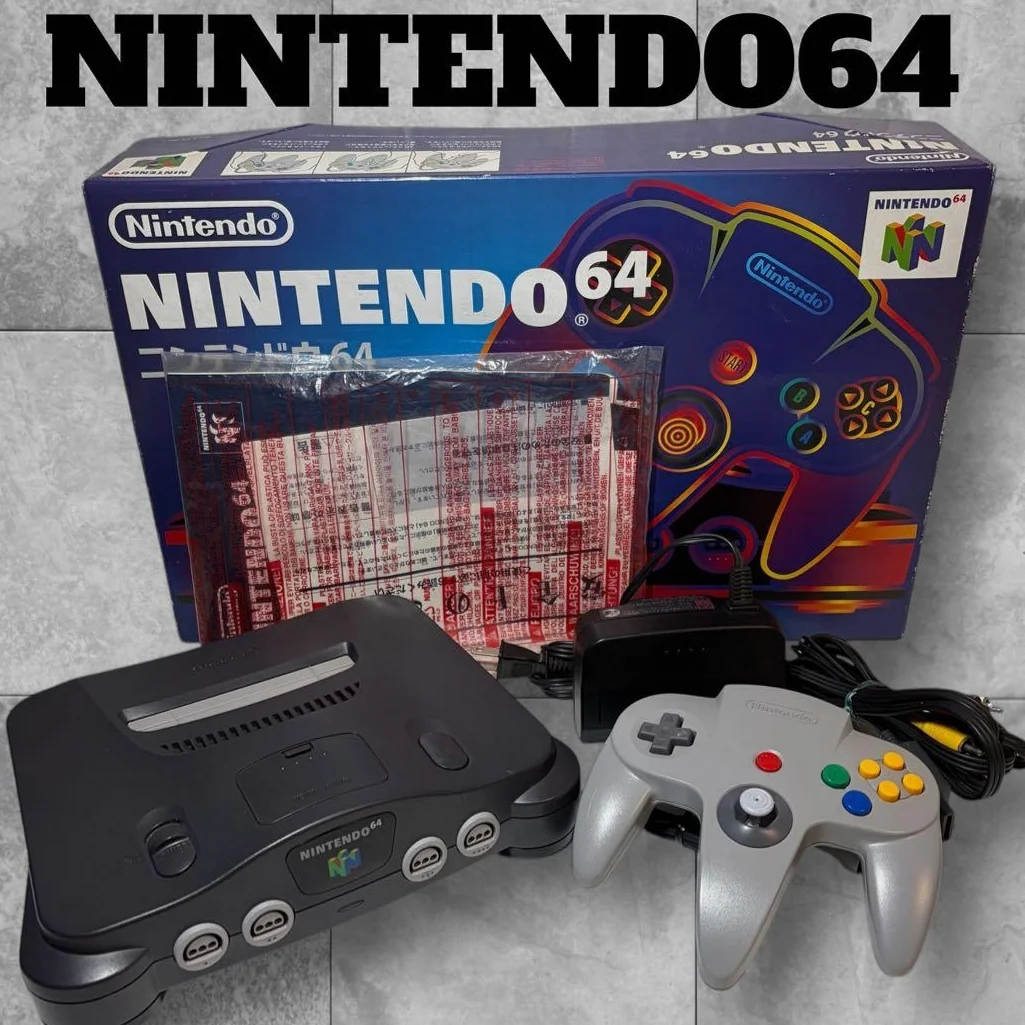
Your N64 looking a bit rough? Top cover cracked, shattered, or sporting a cigarette burn? Maybe it's just yellowed from three decades of UV exposure. The N64 top cover isn't just cosmetic—it protects the delicate internals. Replacing it can give your old friend a new lease on life, or even let you swap colors for a custom look!
Required Tools
- Phillips screwdriver, 4.5mm game console specific
- Plastic spudger, to avoid scratching the shell
- Needle-nose pliers (optional), for stubborn clips
- Isopropyl alcohol and cotton swabs, for cleaning contacts
- Soft cloth, to protect the shell surface
- Gloves, to avoid fingerprints
- Hair dryer (optional), for dealing with yellowing
Repair Steps
1. Assess the Top Cover Condition
- Check damage level: cracks, chips, yellowing area
- Inspect clip integrity: any broken retention clips
- Examine screw holes: stripped or damaged threads
- Decide replacement vs. repair: minor damage can be fixed, major damage warrants replacement
2. Remove the Old Top Cover
- Remove 6 bottom screws (note: 2 are under rubber feet)
- Pro tip: Start separating from the rear
- Gently pry open clips with plastic spudger (8 clips total)
- Mind the ribbon cable: power LED cable attaches to top cover
- Disconnect LED ribbon cable (pull gently)
- Completely remove old top cover
3. Prepare the New Top Cover
- Color matching: Choose color matching original (gray, black, blue, etc.)
- Region matching: US, JP, EU versions may have slight differences
- Clean new cover: wipe inside and out with isopropyl alcohol
- Check all clips: ensure none are broken or damaged
- Test LED window: ensure good light transmission
4. Handle the LED Assembly
- Remove LED assembly from old cover (if needed)
- Clean LED window and LED itself
- Test LED: use 3V battery to verify it lights up
- Install into new cover: align properly, press gently
5. Install the New Top Cover
- Connect LED ribbon cable to motherboard
- Align with bottom shell, starting with rear clips
- Press gently, engaging clips one by one
- Sequence matters: back to front, left to right
- Verify all clips are fully engaged
- Tighten 6 bottom screws
6. Final Inspection
- Check appearance: even gaps, no warping
- Test LED: red light should illuminate at power-on
- Check stability: press various areas for creaking
- Functional test: run a game, ensure no interference
Parts & Price Reference
| Part Needed | Approx. Price | Where to Buy | Gamer Notes |
|---|---|---|---|
| OEM N64 Top Cover | $8-16 | Used parts markets | Watch for color and condition |
| Third-party Cover | $5-12 | Custom sellers | More color options, variable quality |
| Limited Edition Cover | $20-40 | eBay, collector markets | Gold, transparent, special editions |
| LED Assembly | $2-4 | Electronics suppliers | If original is damaged |
| Game Bit Screwdriver | $3-5 | Tool kits | Must have proper game bit size |
| Retrobright/Plastic Restorer | $4-7 | Model shops | For yellowing issues |
Veteran Gamer Knowledge Base
🎮 The Color Legend of N64 Top Covers
- Standard Gray: Most common, North American standard
- Light Gray: Japanese version, slightly lighter shade
- Black: Japanese limited edition, relatively rare
- Ice Blue: Japanese limited edition, stunning color
- Transparent: Various colors, collector favorites
- Gold Edition: Rarest limited edition, commands premium prices
🔧 Common Top Cover Issues & Fixes
- Yellowing: UV damage, treat with retrobright solution
- Cracks: Can be repaired with plastic cement, affects appearance
- Broken clips: Can be glued, but reduced strength
- Stripped screw holes: Can be filled with plastic and re-drilled
- Burn marks: Deep sanding possible, but may leave evidence
💡 Top Cover Customization Ideas
- Paint job: Custom color of your choice
- Vinyl wrap: Game-themed wraps and decals
- Window mod: Cut window to show internal components
- LED lighting: Add cool lighting effects
- Engraving: Personalized engravings or patterns
Repair Difficulty: ★☆☆☆☆
Estimated Time: 30-60 minutes
Success Rate: 98% (top cover replacement is very straightforward)
📚 Trivia: The "Materials Science" of N64 Shells
- ABS plastic: Primary material, strong but prone to yellowing
- UV treatment: Later versions improved resistance
- Recycling marks: Internal recycling codes present
- Batch numbers: Mold numbers traceable to production batches
🎯 The Art of Top Cover Replacement
Replacing a top cover isn't just repair—it's: 1. Visual rebirth: Make an old console look new again 2. Personal expression: Choose your favorite color and style 3. Collector value: Rare color variants increase value 4. Emotional connection: Personally restoring a childhood companion
🔍 How to Choose the Right Top Cover
- OEM preferred: Best fit and finish, precise clips
- Color consistency: If replacing only top, match bottom shell color
- Region matching: Different region versions may have subtle differences
- Condition check: Look for scratches, cracks, yellowing
- Clip integrity: Ensure all clips are intact for smooth installation
🌟 Top Cover Maintenance Guide
- Avoid direct sunlight: Prevent yellowing
- Regular cleaning: Wipe with soft cloth, avoid harsh chemicals
- Avoid heavy stacking: Don't pile heavy objects on top
- Temperature control: Keep away from heat sources
- Proper disassembly: Use correct tools, avoid brute force
Gamer's Heart: The N64 top cover is the console's "face"—it doesn't affect performance, but staring at a cracked or yellowed shell every day feels like something's missing. Slap on a fresh top cover, plug it in, watch that familiar red LED light up, and it's like 1996 all over again—that first time opening the N64 box. Some memories deserve to be preserved in the best possible way.