PSP Go Top Cover Replacement Complete Guide
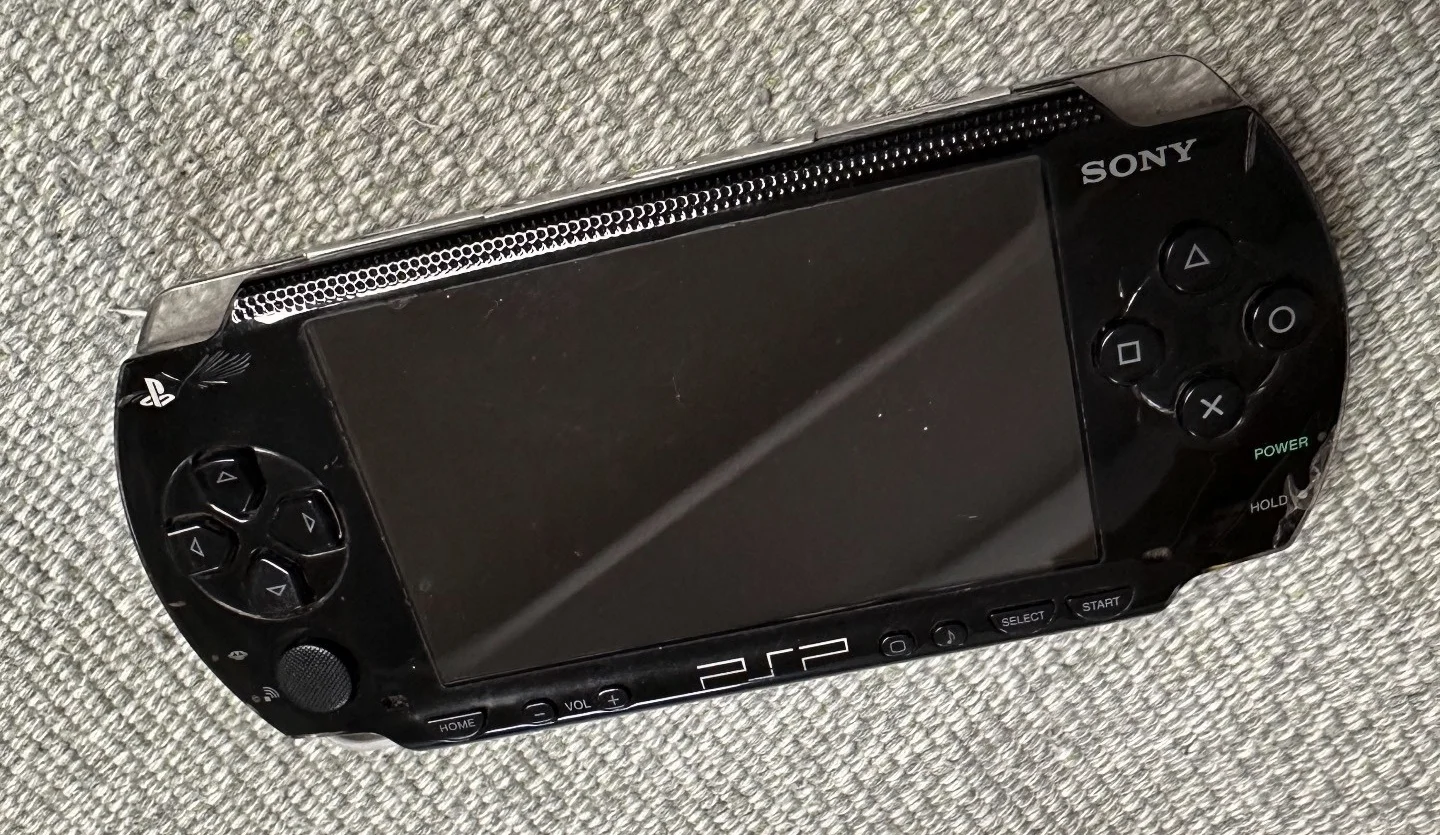
PSP 1000 Black Console
Overview
Oh no! PSP Go top cover is warped! Not sure if it got crushed in my backpack, but now the top cover is crooked and won't close properly! What's worse, there's a gap between screen and cover, dust keeps getting inside! Now when gaming, I always feel something crawling on the screen! Should I seal it with tape? No way! Today I must give my PSP Go 'sturdy armor' and make it fit perfectly again!
Required Tools
- Phillips screwdriver (PH00)
- Plastic spudger
- Tweezers
- New PSP Go top cover
- Anti-static wrist strap (recommended)
Safety Precautions
- Power off operation: Ensure PSP Go is completely powered down
- Sliding mechanism protection: Top cover contains sliding mechanism, handle with special care
- Switch protection: Pay attention to power and wireless switch connections
- Clip care: Top cover has multiple precision clips
Top Cover Structure Analysis
Main Components
- Sliding rails: Precision rails controlling screen sliding
- Power switch: Device power switch
- Wireless switch: Wi-Fi switch
- Memory card slot cover: Protects Memory Stick Micro slot
- Clip system: Multiple clips securing top cover
Common Issues
- Poor sliding: Rail wear or deformation
- Switch failure: Power or wireless switch malfunction
- Broken clips: Caused by improper disassembly
- Cosmetic damage: Scratches, cracks, etc.
Detailed Steps
Step 1: Preparation
- Completely power down PSP Go
- Slide open screen to expose all components
- Remove Memory Stick Micro card
- Clean work area
Step 2: Remove Rear Cover
- Place PSP Go face down
- Remove 4 screws on rear cover
- Use plastic spudger to gently pry open rear cover
- Carefully remove rear cover
Step 3: Disconnect Battery
- Locate battery connector
- Use plastic spudger to disconnect battery
- Ensure device is completely powered off
Step 4: Partially Remove Motherboard
- Remove screws securing motherboard
- Gently lift motherboard but do not remove completely
- Disconnect ribbon cables connecting to top cover (if any)
- Expose top cover connection area
Step 5: Remove Old Top Cover
- Top cover secured by screws and clips
- Remove all screws securing top cover
- Use plastic spudger to release clips starting from edges
- SPECIAL ATTENTION: Be extra careful with sliding mechanism area
- Release all clips in sequence
- Carefully remove old top cover
- Check sliding rail condition
Step 6: Transfer Critical Components
Transfer from old to new top cover:
- Power switch: Carefully remove and install to new cover
- Wireless switch: Carefully remove and install to new cover
- Memory card slot cover: Remove and install to new cover
- Spring mechanism: If present, transfer carefully
- Screw posts: Check and ensure intact
Step 7: Clean Installation Area
- Use cotton swabs to clean frame
- Clean sliding rail area
- Remove all dust and residue
- Check clip positions are clean
Step 8: Install New Top Cover
- Align new top cover with body
- First align sliding mechanism area
- Start from one side, gently press clips
- Engage all clips in sequence
- Ensure each clip properly engaged
- Tighten all securing screws
Step 9: Reconnect Components
- Reconnect top cover ribbon cables (if any)
- Ensure all switch ribbon cables connected securely
Step 10: Reassemble
- Install motherboard, connect all ribbon cables
- Connect battery
- Install rear cover
- Tighten all screws
Post-Installation Inspection
Visual Inspection
- Gap check: Check gaps between top cover and body
- Flatness check: Check if top cover installed flat
- Color matching: Check if new cover color matches
- Switch alignment: Check all switch openings aligned
Functional Inspection
- Sliding test: Test screen sliding smoothness
- Power switch test: Test power switch function
- Wireless switch test: Test Wi-Fi switch function
- Memory card slot test: Test slot cover operation
Sliding Mechanism Special Tests
- Smoothness test: Test sliding without resistance
- Positioning test: Test open/close positioning accuracy
- Durability test: Multiple sliding tests for stability
- Noise test: Check for abnormal sounds during sliding
Common Issues & Solutions
Issue 1: Poor Sliding
- Possible cause: Rails misaligned or need lubrication
- Solution: Realign rails, use minimal silicone grease if needed
Issue 2: Switch Failure
- Possible cause: Switch not installed properly or ribbon cable issue
- Solution: Reinstall switch, check ribbon cable connection
Issue 3: Top Cover Won't Close Fully
- Possible cause: Clips misaligned or internal obstruction
- Solution: Reopen to check, clear obstruction, realign
Issue 4: Sliding Noise
- Possible cause: Rail wear or insufficient lubrication
- Solution: Check rail condition, apply appropriate lubrication
Sliding Mechanism Maintenance
Regular Maintenance
- Periodic cleaning: Use compressed air to clean rails
- Avoid debris: Prevent dust and debris from entering rails
- Proper use: Don't use excessive force when sliding
- Regular lubrication: Use specialized lubricant every 6-12 months
Lubrication Guide
- Lubricant selection: Use plastic-specific silicone grease or Teflon lubricant
- Lubrication method: Apply small amount to rails
- Post-lubrication test: Slide multiple times to distribute lubricant evenly
- Clean excess: Wipe away excess lubricant
Purchasing Guide
Material Selection
- OEM plastic: Best choice, perfect fit
- High-quality ABS: Good durability, cost-effective
- Metal modification: Advanced modding option, may affect weight and feel
Quality Check
- Rail precision: Check sliding rail accuracy
- Clip integrity: Check all clips intact
- Switch openings: Check switch openings accuracy
- Surface finish: Check surface finish quality
Color Matching
- Standard black: Most common choice
- Special colors: White or other special edition colors
- Transparent version: Modding option to show internal structure
Professional Repair Techniques
Disassembly Techniques
- Sequential operation: Release clips strictly in sequence
- Sliding mechanism handling: Extra care with sliding mechanism area
- Photo documentation: Take photos of all connections before disassembly
Installation Techniques
- Align rails first: Align sliding rails before handling other parts
- Stepwise pressing: Press clips stepwise, ensure each properly seated
- Functional testing: Test functions during installation process
Cost-Benefit Analysis
Repair Costs
- OEM top cover: $13-26
- High-quality replica: $7-13
- Compatible cover: $4-9
- Professional repair time: 45-75 minutes
- DIY repair time: 60-90 minutes
Repair Value
- Function restoration: Restore normal sliding and switch functions
- Appearance improvement: Refresh device appearance
- User experience: Improve sliding feel and usability
- Value preservation: Maintain device integrity and value
Version-Specific Considerations
PSP Go Standard Edition
- Top cover pure black
- Standard sliding mechanism design
- Unified switch layout
PSP Go Special Edition
- May have special colors or textures
- Sliding mechanism may have subtle differences
- Extra care needed during installation
Modified Top Covers
- Transparent cover: Show internal structure
- Colored cover: Personalization option
- Metal cover: Enhanced feel but may increase weight
Summary
Replacing the PSP Go top cover is a technically demanding repair task, with main challenges being sliding mechanism handling and precise alignment. Proper replacement not only fixes damage but can significantly improve sliding feel and user experience. Following this guide's steps and paying special attention to sliding mechanism handling, experienced users can successfully complete the replacement.
Repair Difficulty: ★★★☆☆ (Moderate) Required Time: 60-90 minutes Success Rate: 85%+
Note: Top cover repair involves precision sliding mechanism and multiple switches. If you lack relevant experience or worry about damaging these precision components, seek professional repair assistance. Improper repair may affect sliding function and switch operation.