Wii Nunchuk Analog Stick Repair and Replacement Complete Guide
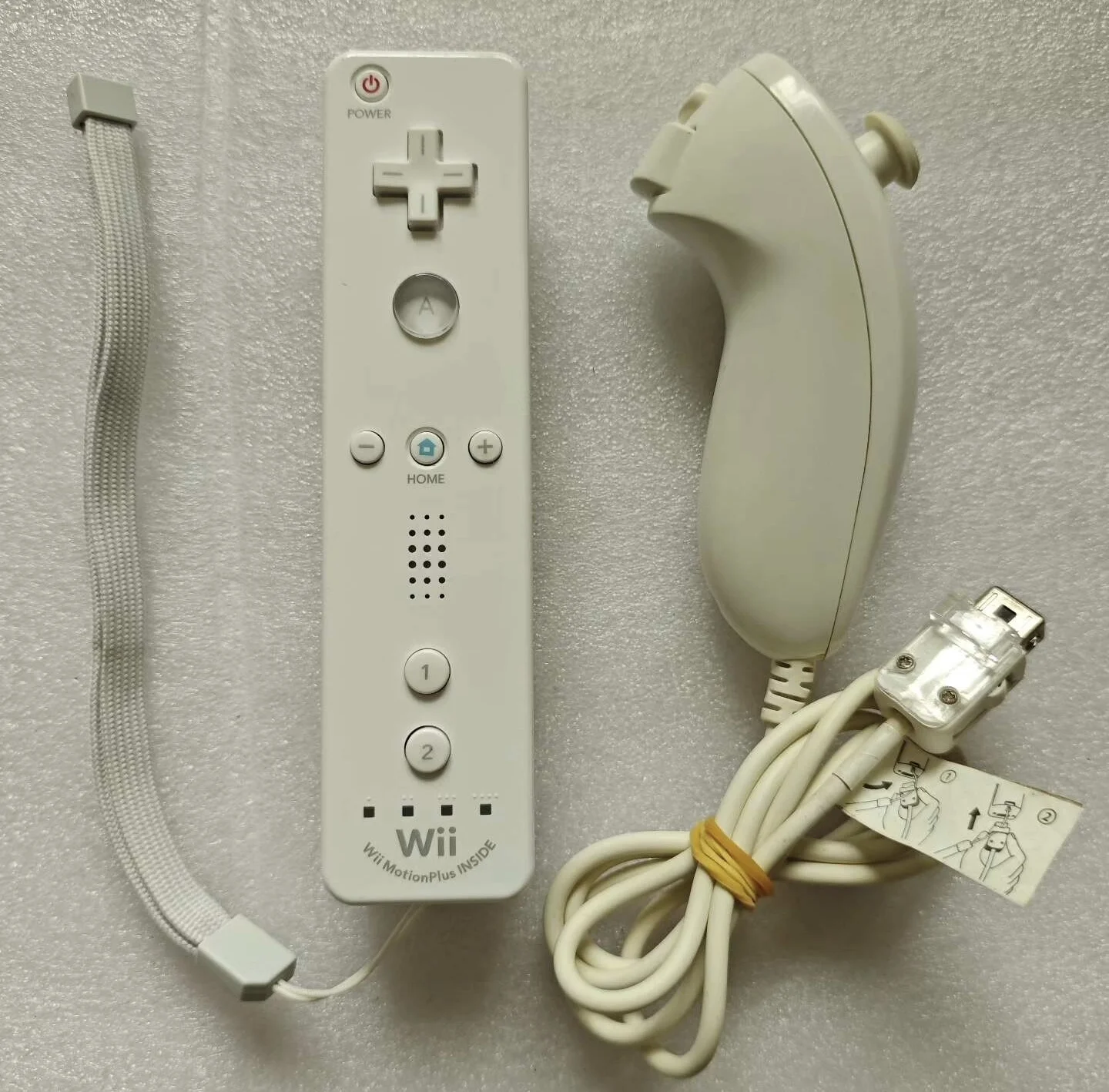
Wii Nunchuk Overall Appearance
Overview
The Wii Nunchuk is an important accessory for the Wii Remote, providing a second analog stick and two additional buttons (C and Z). After prolonged use, the Nunchuk's analog stick may experience drift, reduced precision, or complete failure. This guide provides detailed methods for repairing and replacing the Wii Nunchuk analog stick.
Wii Nunchuk Analog Stick Characteristics
Design Features
- Compact Analog Stick: Small design suitable for one-handed operation
- Potentiometer Design: Uses potentiometers to detect position
- Integrated Design: Stick module integrated with motherboard
- Relatively Durable: More durable than Wii Remote analog stick
Common Issues
- Stick Drift: Automatic offset when stationary
- Reduced Precision: Inaccurate response or increased dead zone
- Complete Failure: No response from stick
- Mechanical Wear: Sticky movement or abnormal noise
Symptom Diagnosis
Testing Methods
- Wii System Test:
- Enter Wii System Settings → Controller Settings
- Select Nunchuk calibration
-
Observe stick stationary position and full range movement
-
In-Game Testing:
- Test with "Wii Sports" for tennis swings or boxing movements
- Test with "Super Mario Galaxy" for movement and camera control
-
Test with "The Legend of Zelda: Twilight Princess" for aiming and movement
-
Physical Inspection:
- Check if stick movement is smooth
- Check for abnormal noise or sticking
- Check center position accuracy
- Check if stick cap is loose
Required Tools
Basic Tools
- Phillips screwdriver (#00)
- Tri-wing screwdriver (Y-type, for housing screws)
- Plastic spudger
- Tweezers
- Anti-static mat
Specialized Tools (Optional)
- Potentiometer tester
- Soldering station and desoldering pump
- Hot air gun (for BGA repair)
Replacement Parts
- Original Wii Nunchuk analog stick module
- Compatible analog stick module
- Stick cap (if needed)
- Conductive silicone grease (for lubrication)
Safety Precautions
⚠️ Important Warnings - Nunchuk has compact structure requiring precise operation - Be careful with internal flexible circuit boards to avoid tearing - Document disassembly sequence, especially screw positions - Handle connectors carefully to avoid damage
Disassembly Steps
Step 1: Housing Disassembly
- Use tri-wing screwdriver (Y-type) to remove housing screws
- Typically 4-6 screws, note different lengths
- Use plastic spudger to separate housing
- Start separation from connector end
Step 2: Internal Access
- Carefully open housing, note internal clips
- Disconnect any internal connections (if present)
- Remove motherboard and stick assembly
- Expose stick mounting area
Step 3: Stick Module Access
- Stick is typically directly soldered to motherboard
- May require removal of other components for access
- Note fixing structure around stick
- Prepare necessary soldering tools
Repair Solutions
Solution A: Cleaning Repair (Mild Issues)
External Cleaning
- Stick Cap Cleaning:
- Remove stick cap (if present)
- Clean stick shaft with isopropyl alcohol
-
Remove accumulated dust and dirt
-
Stick Movement Cleaning:
- Use electronic contact cleaner
- Spray on stick movement area
- Repeatedly move stick to allow cleaner penetration
Internal Cleaning (Requires Disassembly)
- Potentiometer Cleaning:
- Open stick module housing
- Clean potentiometer with precision cleaner
-
Remove dirt and oxides from carbon film
-
Mechanical Cleaning:
- Clean stick mechanical structure
- Remove powder from wear
- Check spring and bearing condition
Solution B: Potentiometer Repair (Moderate Issues)
Potentiometer Testing
- Resistance Testing:
- Test potentiometer resistance with multimeter
- Test X-axis and Y-axis potentiometers
-
Check if resistance change is smooth
-
Contact Testing:
- Test potentiometer sliding contact
- Check contact point wear
- Test signal output stability
Potentiometer Adjustment
- Center Point Adjustment:
- Some potentiometers have adjustment screws
- Fine-tune center point position
-
Test drift improvement
-
Contact Pressure Adjustment:
- Adjust contact spring pressure
- Improve contact reliability
- Test response stability
Solution C: Module Replacement (Severe Issues)
Original Module Replacement
- Module Procurement:
- Obtain from donor Nunchuk
- Purchase original stock modules
-
Ensure compatibility and quality
-
Soldering Replacement:
- Remove old module using desoldering pump
- Clean solder pads, prepare new module
- Solder new module, note pin correspondence
Compatible Module Replacement
- Compatibility Verification:
- Test physical dimension compatibility
- Verify electrical parameter matching
-
Check installation method consistency
-
Installation Adjustment:
- May require modification of installation method
- Adjust fixing structure
- Test function and feel
Calibration and Testing
Software Calibration
- Wii System Calibration:
- Enter Wii controller settings
- Select Nunchuk calibration option
-
Complete calibration process as prompted
-
In-Game Calibration:
- Some games have independent calibration functions
- Calibrate according to game prompts
- Test post-calibration effect
Hardware Calibration
- Mechanical Calibration:
- Ensure stick installation position is correct
- Test stick movement range
-
Adjust mechanical limits
-
Electrical Calibration:
- Test signal output range
- Verify ADC reading accuracy
- Adjust reference voltage (if possible)
Assembly and Testing
Assembly Steps
- Stick Installation:
- Install stick module to motherboard
- Solder all connection points
-
Test soldering quality
-
Internal Assembly:
- Install motherboard to housing
- Connect all internal connections
-
Ensure cable routing is reasonable
-
Housing Closure:
- Align upper and lower housing
- Ensure all clips are engaged
- Install screws
Functional Testing
- Basic Function Test:
- Connect Wii Remote and console
- Enter controller test interface
-
Test stick full range movement
-
Detailed Testing:
- Test center point accuracy
- Test response linearity
-
Test dead zone size
-
Game Testing:
- Actual game testing with "Wii Sports"
- Test performance with different game types
- Evaluate long-term use stability
Preventive Maintenance
Daily Maintenance
- Regular Cleaning:
- Clean stick surface monthly
- Deep clean quarterly
-
Comprehensive maintenance annually
-
Usage Habits:
- Avoid excessive force operation
- Don't maintain extreme positions for long periods
- Clean sweat after use
Storage Recommendations
- Environmental Control:
- Store in dry environment
- Avoid high temperature and humidity
-
Dust protection
-
Physical Protection:
- Use protective case or box
- Avoid heavy pressure
- Periodically check condition
Frequently Asked Questions
Q: Can Wii Nunchuk analog stick be replaced separately?
A: Yes, but soldering skills are required. The stick module is typically directly soldered to the motherboard.
Q: What if drift persists after cleaning?
A: May require replacement of entire stick module; potentiometer may be physically worn.
Q: Is calibration needed after repair?
A: Yes, software calibration is required after stick replacement.
Q: Are Nunchuk stick and Wii Remote stick interchangeable?
A: No, they have different dimensions and electrical parameters.
Repair Difficulty Assessment
- Cleaning Maintenance: Medium (85% success rate)
- Potentiometer Repair: Difficult (70% success rate)
- Module Replacement: Expert Level (60% success rate)
- Comprehensive Repair: Very Difficult (50% success rate)
Cost Analysis
DIY Repair Cost
- Cleaning materials: ¥20-40
- Replacement module: ¥50-100
- Tool investment: ¥200-500
- Total cost: ¥270-640
Professional Repair Cost
- Cleaning maintenance: ¥80-150
- Module replacement: ¥150-300
- Comprehensive repair: ¥200-400
- Total cost: ¥430-850
Replacement Cost
- Used Nunchuk: ¥60-120
- New original: ¥100-200
- Compatible product: ¥80-160
Alternative Solutions
Temporary Solutions
- Software Adjustment: Increase dead zone to reduce drift impact
- Usage Habit Adaptation: Adapt to current stick condition
- Backup Nunchuk: Rotate usage to reduce wear
Long-term Solutions
- Professional Repair: Seek expert assistance
- Replace Entire Nunchuk: Cost may be lower than repair
- Wireless Alternatives: Use third-party wireless Nunchuk
Professional Advice
Repair Strategy
- Try cleaning first, then consider replacement
- Evaluate repair cost vs. replacement cost
- Consider overall device condition and value
Skill Requirements
- Requires fine soldering skills
- Understanding of analog circuit principles
- Experience with small electronic device repair
Risk Control
- Backup important data first (if any)
- Start with simplest method
- Document all repair steps
Summary
Wii Nunchuk analog stick repair is a challenging task requiring precise operation and professional skills. Through correct diagnosis and appropriate repair techniques, most stick issues can be resolved.
Key Points: 1. Understand Nunchuk stick's compact design characteristics 2. Choose appropriate repair solution 3. Possess necessary soldering and electronic skills 4. Thoroughly test to ensure repair quality
For valuable original Nunchuk or limited edition products, repair is worthwhile. For ordinary products, weigh repair cost against replacement cost.
Last Updated: March 1, 2026
Applicable Models: All Wii original Nunchuk
Technical Level: Intermediate to Advanced
Recommended Experience: Experience with electronic soldering and small device repair
Special Reminder: Nunchuk has compact structure requiring extreme patience and precision tools